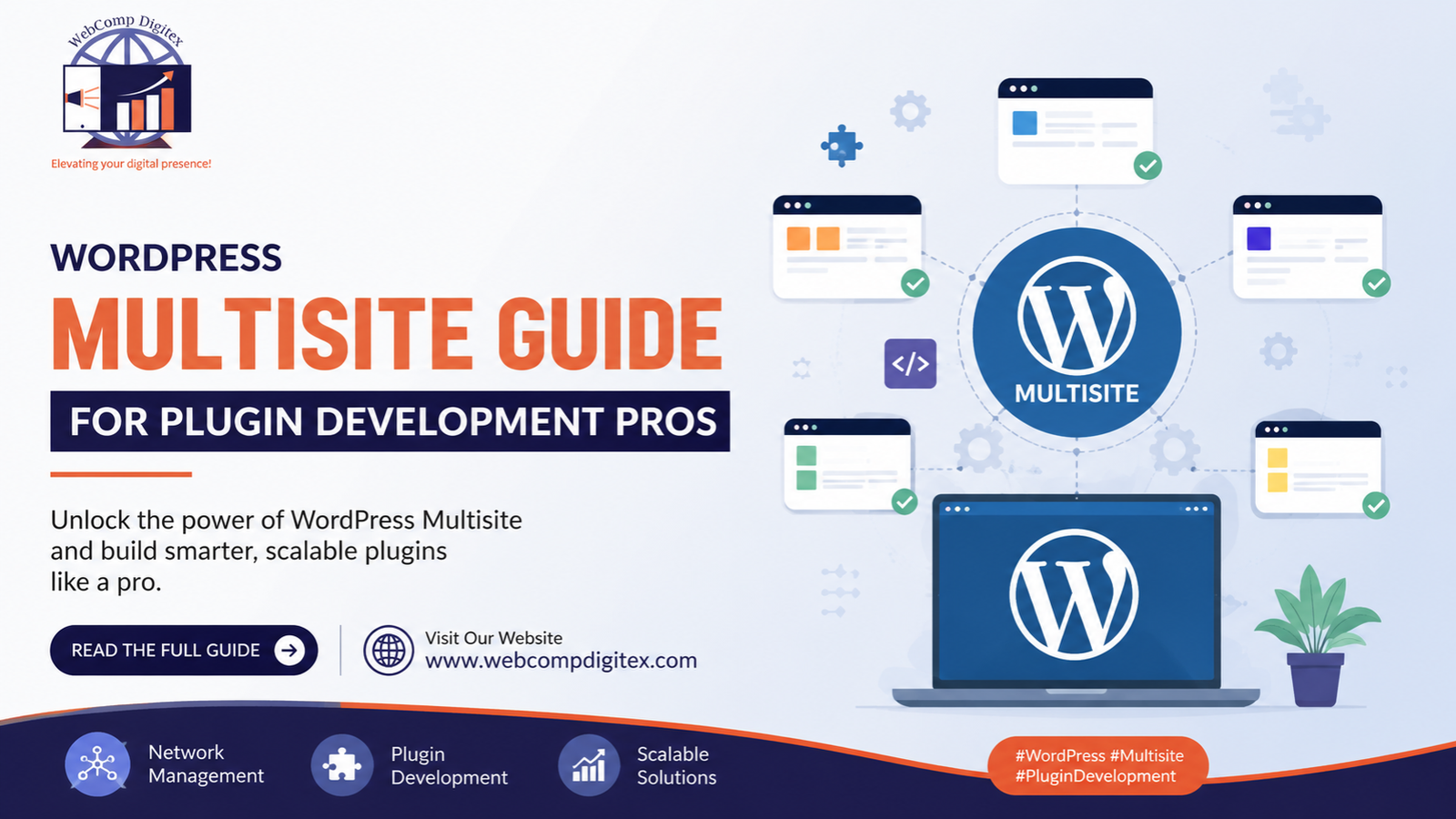
WordPress Multisite Guide: I was sitting in a meeting room in Hinjewadi last month with a healthcare client who manages seven clinic websites. Different locations, same branding, same appointment booking system. They’d been paying separately for hosting, security, and updates for each site.
Their developer suggested WordPress Multisite. They had no idea what that meant.
Here’s the thing — I’ve seen Multisite save businesses thousands of rupees and dozens of hours. I’ve also seen it create headaches that could’ve been avoided with separate WordPress installs. The difference? Knowing when to use it and when to walk away.
If you’re evaluating Multisite for your business or you’re deep into wordpress plugin development and wondering how Multisite affects your work, let me walk you through what actually matters.
What WordPress Multisite Actually Is (Without the Tech Jargon)
Think of regular WordPress as a single storefront. You manage one shop with one inventory system.
WordPress Multisite is like a mall. Multiple storefronts (websites), but they share the same foundation — one installation, one database structure, centralized management. Each site in the network can have its own content, theme, and users, but you control everything from one super-admin dashboard.
You’re not installing WordPress five times. You’re installing it once and spinning up five sites from that single installation.
This matters for web application development services because it changes how you architect multi-tenant solutions. At Webcomp Digitex, we’ve built Multisite networks for real estate developers managing project microsites and e-commerce brands running location-specific stores.
But here’s what nobody tells you upfront: Multisite isn’t just “WordPress but more.” It’s a different architecture with different limitations, different hosting requirements, and different security considerations.

Let me be direct. Don’t use Multisite just because it sounds cool or because someone said it’s “more efficient.”
Use it when you have one of these specific situations:
You manage multiple sites with the same core functionality. That healthcare client I mentioned? They needed the same appointment booking system, same patient inquiry forms, same HIPAA compliance measures across seven locations. We set up Multisite, built custom wordpress plugin development for their booking system, and deployed it network-wide. One update pushes to all sites. That’s the dream scenario.
You’re building a multi-location business platform. We worked with a Pimpri-Chinchwad manufacturing company that supplies to different industries. They needed separate microsites for automotive clients, electronics clients, and industrial clients — different content, different product catalogues, but same backend systems. Multisite made sense.
You’re running a franchise or dealer network. Same brand guidelines, same functionality, but each location needs to manage their own content. Perfect fit.
You’re in education managing department or campus sites. Universities love Multisite for a reason. Central IT control, departmental autonomy.
You’re a web app development agency building SaaS products. If you’re creating a platform where each customer gets their own subdomain or directory site, Multisite is basically built for this. Think project management tools, course platforms, or directory services.
Here’s when it’s completely overkill:
You just want two websites that happen to share a host. Separate installs are fine. You’re not buying efficiency, you’re buying complexity.
You need drastically different functionality on each site. Multisite works best when sites share 70% of their DNA.
You don’t have someone technical managing it. Multisite isn’t set-it-and-forget-it. You need someone who understands how network activation works, how to troubleshoot plugin conflicts across sites, and how to handle subdomain routing.
The Technical Reality: What Changes with Multisite
Let’s talk about what actually changes when you flip that Multisite switch.
Your hosting situation changes completely. Most shared hosting plans can’t handle Multisite properly. You need VPS or managed WordPress hosting that explicitly supports it. At Webcomp Digitex, we usually recommend clients budget ₹4,000-₹8,000/month minimum for decent Multisite hosting. That’s more than basic WordPress hosting, but less than paying for five separate hosting accounts.
Plugin management becomes centralized. You can network-activate plugins (they work on all sites) or let individual site admins activate them per-site. This is powerful for web based application development because you control which features go where. But it also means you need to test plugins in network mode. Some plugins break. Some behave weirdly. Some ignore network activation entirely.
We built a custom analytics dashboard for a Kharadi e-commerce client using wordpress plugin development specifically for Multisite. It pulls data from all their location-based stores into one view. That kind of centralization? Can’t do it cleanly with separate installs.
Updates happen once, affect everything. Update WordPress core? It updates for the entire network. Update a network-activated plugin? Every site gets it. This is amazing when it works. It’s terrifying when an update breaks something because now everything is broken.
Your database structure gets more complex. Regular WordPress uses about 12 database tables. Multisite adds network-specific tables plus a new set of tables for each site. This affects performance, backup strategies, and how you write custom queries. If you’re doing serious web application development services, you need to understand this architecture.
URLs work differently. You’ll choose between subdomains (site1.yourdomain.com, site2.yourdomain.com) or subdirectories (yourdomain.com/site1, yourdomain.com/site2). Subdomains need wildcard DNS setup. Subdirectories need proper .htaccess configuration. Both have SEO implications.
Setting Up WordPress Multisite: The Parts That Actually Matter
I’m not going to give you a step-by-step installation guide. Google has fifty of those. I’m going to tell you the parts where businesses actually mess up.
Choose your URL structure before you start. You can’t easily switch from subdomains to subdirectories later. Think about branding. Think about SEO. For most businesses, I recommend subdomains because they’re cleaner and give each site more identity. But if you’re building a tightly-integrated platform where sites feel like sections of one ecosystem, subdirectories work better.
Set up your hosting correctly first. Don’t enable Multisite on cheap shared hosting and wonder why it’s slow. Get proper infrastructure. At Webcomp Digitex, we usually set clients up on Cloudways or WP Engine for Multisite projects. It costs more, but you’re not calling us at 11 PM because the network is down.
Configure your wp-config.php and .htaccess files correctly. This is where most DIY attempts fall apart. The code snippets you add enable network functionality and URL routing. One wrong character and nothing works. If you’re not comfortable editing core WordPress files, hire someone who is.
Think through your plugin strategy before activating anything. Which plugins need to be network-activated? Which ones should individual site admins control? Security plugins? Usually network-wide. Contact forms? Probably per-site. We spent 4 months refining this for a Baner-based real estate developer managing 12 project sites. Getting it right upfront saved them dozens of support tickets.
Set user roles and permissions carefully. Multisite adds a super admin role above regular administrators. Super admins control the network. Regular admins only control their site. If you screw up permissions, you’ll have site admins complaining they can’t do their job or accidentally doing things they shouldn’t.

Common Mistakes That Cost Time and Money
I’ve seen these mistakes repeatedly over 12 years:
Enabling Multisite on an existing WordPress site without a full backup. The database changes are significant. If something goes wrong during conversion, you’re rebuilding from scratch. Always, always test on staging first.
Not planning for growth. You start with 3 sites, so you think small. Two years later you have 15 sites and your hosting infrastructure is choking. Plan for 3x growth from day one.
Using plugins that aren’t Multisite-compatible. Not all plugins play nice with network architecture. Some caching plugins, some membership plugins, some e-commerce setups — they break or behave unexpectedly. Test everything in a network environment first.
Here’s a specific example: We worked with a Wakad-based education client who tried using a popular LMS plugin on Multisite. It worked on individual sites but completely broke course enrollment when network-activated. We had to build custom wordpress plugin development to handle multi-site course management properly. Cost them an extra ₹80,000 and 6 weeks because they didn’t test compatibility upfront.
Ignoring security implications. One compromised site can potentially affect the entire network if security isn’t configured properly. You need network-wide security plugins, proper user isolation, and regular security audits.
Underestimating the technical skill required. Multisite isn’t drastically harder than regular WordPress, but it’s different enough that your regular WordPress developer might struggle. Make sure whoever manages it understands the network architecture.
WordPress Multisite and Custom Plugin Development
If you’re building custom functionality for a Multisite network, the development approach changes.
You need to think network-first. Regular wordpress plugin development focuses on a single site. Multisite plugin development needs to consider network activation, per-site settings, network-wide settings, and data that might need to be shared or isolated.
We built a lead management system for a manufacturing client in the MIDC area with multiple product divisions. Each division gets their own site in the network, but leads flow into a central CRM. That required custom plugin architecture that regular single-site development wouldn’t need.
Database queries get more complex. Want to pull data from multiple sites in the network? You’re doing custom table queries. Want to create truly shared data? You need to think about table structures differently.
Testing becomes more involved. You’re testing network activation, per-site activation, conflicts between sites, and making sure one site’s configuration doesn’t break another.
This is where working with a web app development agency that understands both WordPress core and Multisite architecture matters. At Webcomp Digitex, we’ve built Multisite-specific functionality enough times to know the gotchas before they bite you.
Alternatives to Consider Before Committing to Multisite
Look, sometimes Multisite isn’t the answer. Here are alternatives that might work better:
Separate WordPress installs with centralized management tools. Tools like ManageWP or MainWP let you manage multiple separate WordPress sites from one dashboard. You get central updates and monitoring without the architectural complexity of Multisite. Good choice if your sites are more different than similar.
A proper web application framework. If you’re building something that’s more app than content site, maybe WordPress isn’t the right foundation at all. We’ve built custom web application development services using Laravel or Node.js when the requirements went beyond what WordPress handles elegantly.
A page builder with client access. If you just need to let different teams manage different sections of one site, a good page builder with role-based access might be enough. Simpler than spinning up separate sites.
Completely separate brands and hosting. If the sites truly have nothing in common, don’t force them together. There’s no prize for artificially connecting disconnected things.
I told a Hinjewadi SaaS startup last year that they didn’t need Multisite. They thought they did because they had a marketing site and a web app. Completely different purposes, different tech stacks made more sense. They were relieved to hear it was okay to keep them separate.

Frequently Asked Questions
Can I convert my existing WordPress site to Multisite without losing data?
Yes, but it’s not a casual weekend project. You need a complete backup, a staging environment to test on, and someone who understands the database changes that happen during conversion. Your existing site becomes the main site in the network. Content stays intact, but URLs might change if you’re not careful with redirects. I’d honestly recommend hiring someone experienced for this rather than DIY-ing it if your site has any business importance.
Will Multisite make my websites faster or slower?
Usually slightly slower, honestly. You’re sharing resources across multiple sites, and there’s additional overhead from the network architecture. But with proper hosting and caching, the difference is negligible for most use cases. Where you gain isn’t speed — it’s management efficiency. One update instead of five. One backup system instead of five. That’s where Multisite wins.
Can each site in the network have a different theme?
Absolutely. Each site can have its own theme, plugins (if not network-activated), and content. The network admin controls which themes are available, but site admins choose which one to use. We set up a network for a real estate client where their residential projects used one theme, commercial projects used another, and their corporate site used a third. All from one Multisite installation.
What happens if one site gets hacked in a Multisite network?
This is the scary question. If security isn’t properly configured, a compromised site could potentially give attackers access to the entire network. That’s why network-wide security plugins, proper file permissions, and user isolation are critical. You need to treat the network as seriously as you’d treat your most important single site. Regular security audits, proper backups, and good hosting with security monitoring are non-negotiable.
Is WordPress Multisite good for SEO?
It’s neutral. Each site in the network is treated independently by search engines. Subdomain sites are completely separate as far as Google cares. Subdirectory sites might get some association with the main domain, but that’s true whether you use Multisite or not. The SEO game doesn’t change — you still need good content, proper technical setup, and all the usual SEO work on each site.
Get WordPress Multisite Set Up Right the First Time
Here’s my honest take after 12 years doing wordpress plugin development and building web applications for Pune businesses: Multisite is really good at solving specific problems. When it fits, it’s brilliant. When it doesn’t fit, it’s a headache you don’t need.
If you’re managing multiple related sites and you’re tired of updating everything five times, Multisite probably makes sense. If you need custom web based application development that serves multiple tenants from one installation, Multisite is worth exploring.
But if you’re forcing it because it sounds efficient or because someone told you it’s “better,” pause. Really think about whether you need the complexity.
At Webcomp Digitex, we’ve set up Multisite networks for businesses across Hinjewadi, MIDC, Kharadi, and Baner. We’ve also talked clients out of it when it didn’t fit their needs. We’d rather you spend money on the right solution than waste it implementing something that creates more problems than it solves.
If you’re considering Multisite for your business and want to talk through whether it actually makes sense for your specific situation, give us a call at +91-9960802498. We’ll give you straight answers, not sales pitches. Sometimes that answer is “yes, Multisite is perfect for you.” Sometimes it’s “here’s a simpler way to do what you need.”
Either way, you’ll know what’s right for your business before you spend money building the wrong thing.
Visit us at webcompdigitex.com to see the kind of web application development services and custom WordPress solutions we build for Pune businesses. We’re here when you’re ready to talk.


