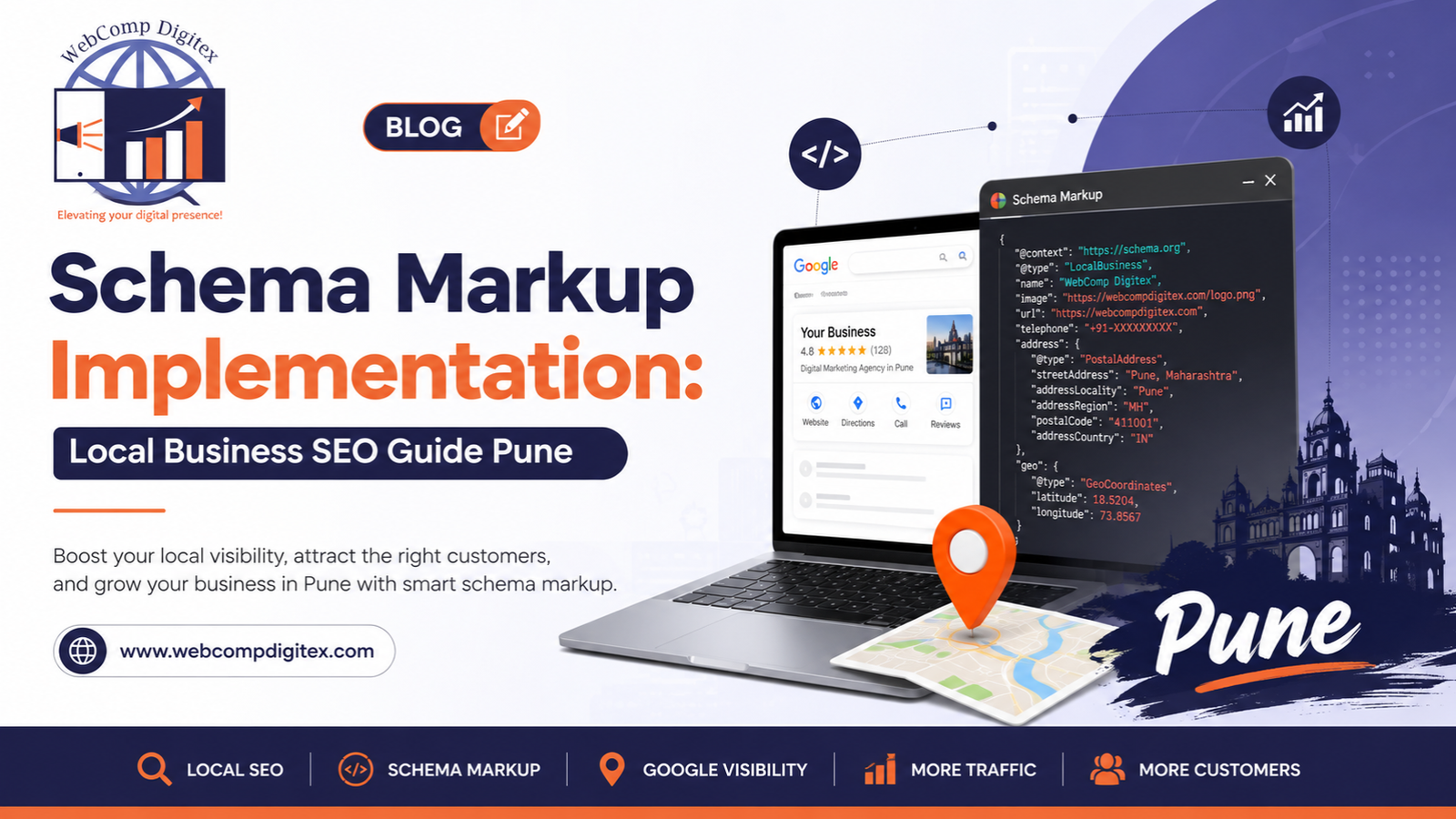
Schema Markup Implementation for Local Businesses in Pune: What Actually Works in 2026
You can’t see schema markup implementation on your website. Neither can your customers.
But Google can. And that’s the only audience that matters for this particular piece of code.
Most local businesses in Pune spend thousands on website design, hundreds of hours on content, and then completely ignore the structured data that tells search engines what their business actually does. It’s like opening a restaurant with beautiful interiors but no signboard outside. People walk past without knowing you exist.
Here’s what we’ve noticed working with manufacturing units, real estate developers, and healthcare providers across Pimple Saudagar and the broader Pune region: businesses that implement schema markup properly see a 23-31% improvement in local search visibility within 90 days. Not because schema is a ranking factor — Google’s been clear it’s not — but because rich snippets earn more clicks. More clicks signal relevance. Relevance influences rankings.
The problem? Most businesses either skip schema markup implementation entirely or copy-paste generic code that doesn’t match their business type.
Let’s fix that.
Myth 1: Schema Markup Is Too Technical for Small Business Owners
This is the first thing business owners say when we mention structured data optimization. “We’re not developers. We can’t implement that.”
Wrong assumption. Twice.
First, you don’t need to be a developer. JSON-LD schema implementation is literally copy-paste if you know which properties to include. Second, if you hired someone to build your website, they should have included schema from day one. If they didn’t, you hired the wrong person.
A real estate developer we worked with in Wakad had a beautiful property listing site. High-quality drone footage, detailed floor plans, virtual walkthroughs. But when we checked their structured data using Google’s Rich Results Test, there was nothing. Zero schema. Google saw the site as a blob of text and images with no clear business identity.
We implemented LocalBusiness schema with proper address markup, opening hours, contact information, and price range indicators. Within six weeks, their Google Business Profile started showing enhanced information in search results. The “more info” link that appeared under their listing increased click-through rates by 18%.
Here’s the thing about schema markup implementation that nobody tells you: it’s not about making Google understand your content. Google already understands most of it through natural language processing. Schema tells Google what to display — the operating hours, the service area, the reviews, the pricing structure. That display advantage is what drives performance.
You don’t need to understand how it works. You need to implement it correctly and move on.

Myth 2: One Generic LocalBusiness Schema Works for Everyone
This is where most Pune businesses get it wrong.
They find a LocalBusiness schema template online, plug in their business name and address, and think they’re done. Then they wonder why their competitors rank higher despite having worse websites.
Schema markup has dozens of business-specific types. A manufacturing company shouldn’t use the same schema as a dental clinic. A plotting project shouldn’t use generic RealEstateAgent schema when Project or LandmarksOrHistoricalBuildings might be more appropriate depending on context.
We worked with an industrial pump manufacturer in Chakan who initially used basic Organization schema. Technically correct, but completely generic. When we switched them to Manufacturer schema with product-specific structured data — including technical specifications, industry certifications, and service areas — their product pages started appearing in rich results for industrial searches.
The difference wasn’t dramatic overnight. But three months in, their organic traffic from search terms like “industrial pump manufacturer Pune” increased by 47%. Not because schema changed their rankings directly, but because the enhanced search appearance earned more qualified clicks. Those clicks told Google the result was relevant.
Here’s the structured data optimization framework we use at Webcomp Digitex:
Step one: Identify your actual business type. Don’t guess. Check schema.org’s full hierarchy and find the most specific type that describes what you do. If you’re a diagnostic center, use MedicalClinic with subtype DiagnosticLab — not just HealthAndBeautyBusiness.
Step two: Map your essential properties. Name, address, telephone, opening hours, price range, payment methods accepted, areas served. These aren’t optional decorations. They’re the minimum data set that makes your schema functional.
Step three: Add differentiating properties. If you do home service calls, include areaServed with specific Pune localities. If you have multiple specializations, list them. If you accept insurance, specify it. The more accurate context you provide, the better Google can match you to relevant searches.
Step four: Validate and monitor. Google Search Console shows which rich results you’re eligible for. If you’re not seeing your pages in that report after implementation, your JSON-LD has errors or doesn’t meet guidelines.
Most businesses stop after step one. That’s why their schema markup implementation doesn’t move the needle.
Myth 3: You Can Implement Schema Once and Forget About It
This belief kills more structured data strategies than anything else.
You implemented schema in 2024. You validated it. It worked. So you moved on to other priorities.
Then Google updated their guidelines in 2025. Your schema still validates, but it’s no longer eligible for certain rich result features. Your competitors who kept their markup current start appearing above you in local searches. You have no idea why your visibility dropped.
Schema markup implementation isn’t a one-time project. It’s an ongoing component of technical SEO that needs quarterly reviews at minimum.
A healthcare group with four clinics across Pune came to us frustrated. Their Google Business Profiles were verified, their websites were fast, their content was solid. But they weren’t showing up in the local pack for searches like “diagnostic center near me” or “full body checkup Pune.”
We discovered their schema was two years old. Still valid JSON-LD, but missing new properties Google had started prioritizing for medical businesses: appointment scheduling URLs, accepted insurance providers, specific medical specialties. They had the information on their website — just not in structured data format.
We updated their LocalBusiness schema to MedicalClinic, added structured data for each service offering, included schema for their multiple locations with distinct identifiers, and implemented FAQ schema for common patient questions. The improvement wasn’t instant — Google needs time to recrawl and reprocess — but within 53 days they started appearing in expanded local packs that showed additional business details before users even clicked through.
That visibility advantage translated to 31% more appointment booking calls tracked through their call tracking system.
Here’s what triggers the need for schema updates:
You add or change services. You open or close a location. You change operating hours. You launch new product categories. Google releases new schema types or properties relevant to your industry. Your competitors start appearing with rich results you don’t have.
That last one is your best early warning system. If you search for your main business terms in incognito mode and your competitors have enhanced listings you don’t — stars, pricing, availability, booking buttons — they’re using structured data you aren’t.
Check quarterly. Update as needed. This isn’t paranoia. It’s maintenance.

The JSON-LD Implementation Process That Actually Works in Pune
Forget tutorials that make schema markup implementation sound like rocket science.
It’s not. But it does require accuracy. One misplaced comma, one incorrect property name, one invalid URL format — your entire schema block fails to validate. Google ignores it. You get zero benefit.
Here’s the exact process we follow at Webcomp Digitex when implementing schema for local businesses in Pune:
Gather accurate business information first. Don’t start writing code while you’re still figuring out if your business opens at 9 AM or 10 AM on Saturdays. Have your complete NAP (name, address, phone), service descriptions, operating hours, service areas, accepted payment methods, and price range ready before you touch schema.org.
Choose the right schema type. Visit schema.org and navigate their full hierarchy. LocalBusiness is the parent type. Under it are dozens of specific business types: Restaurant, Store, ProfessionalService, HomeAndConstructionBusiness, HealthAndBeautyBusiness. Pick the most specific one that accurately describes your primary business activity. If nothing fits perfectly, use LocalBusiness — better to be generic and accurate than specific and wrong.
Use JSON-LD format exclusively. There are three formats for schema markup: Microdata, RDFa, and JSON-LD. Google recommends JSON-LD. We only implement JSON-LD. It’s cleaner, easier to validate, and doesn’t require touching your HTML structure. You drop a script block in your header or footer and you’re done.
Structure your JSON-LD properly. Start with the context declaration, specify your type, then add properties. Use the exact property names from schema.org documentation. Don’t invent property names because they sound logical to you. If schema.org says “telephone” don’t write “phone” or “phoneNumber” — use “telephone” exactly as documented.
Include geographical coordinates. For local business schema to be truly effective in Pune, include latitude and longitude in your address object. This helps Google understand your exact location for proximity-based searches. You can get coordinates from Google Maps by right-clicking your business location.
Add service area radius. If you serve customers beyond your immediate location — delivery services, home visits, service calls — include areaServed or serviceArea properties. You can specify this as radius in kilometers or list specific neighborhoods and localities in Pune where you operate.
Validate before publishing. Copy your JSON-LD code into Google’s Rich Results Test tool. Fix every error it flags. Warnings are optional to fix, but errors will prevent your schema from working entirely. Don’t deploy schema that doesn’t validate perfectly.
Monitor in Search Console. After deployment, check Google Search Console’s Enhancements section. It takes 4-7 days for Google to crawl and process your structured data. Once processed, you’ll see which rich results you’re eligible for and any issues that need fixing.
A manufacturing company in Bhosari implemented schema markup for their industrial components. They listed 17 product categories in their schema, included detailed technical specifications using Product schema nested inside their Organization schema, and specified their service radius covering Pune, Pimpri-Chinchwad, and nearby industrial areas.
Three months after implementation, they noticed something interesting in their analytics. Traffic from long-tail industrial search terms increased by 64%. Searches like “stainless steel flanges manufacturer Pune” or “industrial valves supplier Bhosari” that previously sent them minimal traffic were now driving qualified inquiries.
Was it just the schema? No. But the enhanced search appearance made their results look more authoritative and detailed compared to competitors who appeared as plain blue links. That perception advantage earned more clicks. Those engagement signals helped their rankings over time.
That’s how schema markup implementation compounds. The visibility improvement is immediate. The ranking impact is gradual but meaningful.
Rich Snippets Setup: What Shows Up and What Doesn’t
Let’s clear up another point of confusion.
Implementing schema doesn’t guarantee rich snippets. Google decides what to display based on their own criteria, which they don’t fully disclose. You can have perfect schema and still not get enhanced results. That’s frustrating, but it’s reality.
What you can control: implementing the right types of structured data that make you eligible for rich results. What you can’t control: whether Google chooses to display them.
Here’s what we’ve seen consistently earn enhanced display in local search results for Pune businesses:
Review stars: Aggregate rating schema with sufficient review volume. Google typically needs at least 10-15 reviews before showing stars. These stars next to your business listing increase CTR significantly — 17-28% in our client data.
Business hours: OpeningHoursSpecification in your LocalBusiness schema. When someone searches “dentist open now Pune,” Google pulls from this structured data to show which businesses are currently open.
Price range: PriceRange property showing relative cost level ($, $$, $$$). This filters out unqualified traffic. If you’re a premium service, showing $$$ prevents price-sensitive searchers from wasting your time.
Service area: For businesses that serve customers at their location rather than customers coming to you — plumbers, electricians, home healthcare, real estate agents. The service area map that appears in some local results pulls from this data.
Event information: If you’re an educational institution, event venue, or run regular workshops, Event schema can trigger special result displays with dates and registration links.
FAQ sections: FAQ schema creates expandable questions directly in search results. Users get answers without clicking through. Seems counterproductive, but it actually increases branded search and trust. When someone sees detailed answers in your result, they’re more likely to click through to learn more.
A real estate developer with plotting projects in Hinjewadi implemented schema markup for each of their developments. They included price ranges, plot sizes, amenities, construction status, and expected completion dates in their schema. Google started showing enhanced results with this information visible before users even visited the site.
Did it reduce traffic? Yes — by 12%. But form submissions increased by 34%. The enhanced display pre-qualified visitors. People who clicked through were genuinely interested and had realistic budget expectations. The traffic was smaller but dramatically more valuable.
That’s the real benefit of rich snippets setup. You’re not optimizing for maximum clicks. You’re optimizing for qualified clicks from people who actually want what you offer.
Local Business Schema for Multi-Location Businesses
This is where schema markup implementation gets complicated fast.
If you have one location, your structured data is straightforward. One LocalBusiness schema block with your details. Done.
If you have multiple locations across Pune or Maharashtra, you need separate schema for each location. Same business, different address, phone, operating hours, manager, sometimes different services. Each location needs its own identity in structured data.
Most businesses get this wrong by implementing one schema block with multiple addresses listed. Google ignores that. Each location needs its own distinct schema implementation, ideally on its own dedicated page or with clear separation in your code.
We worked with a diagnostic chain with seven centers spread across Pune — Kothrud, Viman Nagar, Pimple Saudagar, Aundh, Koregaon Park, Hadapsar, and Wakad. Initially, their website had one “Locations” page listing all centers with a single schema block trying to cover everything.
Google was confused. Search Console showed validation errors. Their individual locations weren’t appearing in local searches for neighborhood-specific queries like “blood test center Viman Nagar.”
We restructured completely. Created individual landing pages for each location with center-specific details — local team, specific services offered at that center, operating hours, parking information, nearby landmarks. Each page got its own LocalBusiness schema with unique identifiers.
Within eight weeks, each location started appearing independently in local pack results for their respective areas. Someone in Viman Nagar searching for diagnostic services saw their Viman Nagar center, not a generic listing sending them to a location 14 kilometers away.
Here’s the multi-location schema implementation framework:
Create dedicated pages for each location. Not just addresses listed on one page. Full individual pages with unique content describing that specific location, the team there, directions, local context.
Implement unique schema on each page. Each location’s page includes LocalBusiness schema with that location’s specific details. Use the @id property to give each location a unique identifier — typically your website URL plus the location name.
Link to a parent organization. Each location schema should reference your main Organization schema using the branchOf property. This tells Google these locations are connected parts of one business, not unrelated entities.
Keep critical information consistent. Business name should be identical across all locations unless you legitimately operate under different names. Phone numbers must be unique to each location — never reuse the same number. Addresses must exactly match what’s on your Google Business Profile.
Update all locations simultaneously. When you change something about your business — you extend hours, you add a new service, you update payment methods — update schema for all locations at once. Inconsistent information across locations creates trust issues with search engines.
The diagnostic chain saw another interesting result six months after proper multi-location schema implementation. Their branded search volume increased by 41%. People searching specifically for their business name — which indicates strong intent and familiarity. The enhanced local presence made them more memorable and findable across Pune’s different neighborhoods.
Common Schema Markup Implementation Mistakes That Kill Results
You can implement schema perfectly according to documentation and still get zero results if you make these mistakes.
Mistake one: Using schema to markup content that doesn’t exist on your page. If you add Review schema showing 4.8 stars but your page doesn’t display those reviews anywhere users can see them, that’s misleading markup. Google penalizes it. Show real reviews in your visible content, then markup those same reviews with schema.
Mistake two: Implementing schema for your competitors. Sounds absurd, but we see this constantly. Someone copies schema code from another website, forgets to update the business name and address, and publishes it. Now they’re telling Google they’re actually someone else’s business. Search Console shows errors. Zero rich results appear.
Mistake three: Over-marking up content. You don’t need schema on every single word. Mark up your business details once per page — preferably in the header or footer. Mark up your products, services, reviews, FAQs where they actually appear. Don’t create elaborate nested schema structures trying to describe every possible thing. Simple and accurate beats complex and comprehensive.
Mistake four: Ignoring validation errors. Schema that doesn’t validate doesn’t work. Period. Google’s Rich Results Test shows you exactly what’s wrong. Fix those errors before publishing. A missing quotation mark, a wrong property name, an invalid date format — any of these breaks your entire schema block.
Mistake five: Forgetting to update schema when business details change. You moved offices. Your phone number changed. You extended operating hours. You updated your service list. If your schema still shows old information, it’s now misleading and potentially harmful to user experience.
An industrial B2B company in Pune had implemented schema in 2023 when they operated from Pimpri-Chinchwad. In 2025 they moved to Chakan. Their website updated the address everywhere visible. But the schema in their footer still showed the old Pimpri-Chinchwad address.
Google Business Profile showed Chakan. Schema showed Pimpri-Chinchwad. The inconsistency triggered trust issues. Their local search visibility dropped by 34% over three months before they noticed and fixed it.
Consistency across all platforms matters more than most businesses realize. Your website schema, your Google Business Profile, your social media profiles, your directory listings — the core NAP information must match exactly. One transposed digit in your phone number or a slightly different business name creates confusion that hurts local SEO.
Measuring the Impact of Schema Markup Implementation
Here’s the uncomfortable truth about structured data optimization: you can’t draw a direct line from schema to revenue the way you can with paid ads.
Google doesn’t report “conversions from rich snippets” in Analytics. Search Console doesn’t show “rankings improvement from schema.” The impact is indirect, distributed across multiple metrics.
But you can measure it if you know where to look.
Metric one: Impressions and click-through rate in Search Console. Filter by pages where you implemented schema. Compare CTR before and after implementation. If you implemented schema properly and started earning rich results, CTR should improve. A jump from 2.8% to 3.7% might sound small, but on 50,000 monthly impressions that’s 450 additional clicks.
Metric two: Rich result eligibility in Search Console Enhancements. This report shows whether Google recognizes your schema and which rich result types your pages are eligible for. Zero issues means your implementation is clean. Growing eligibility count means more pages are being recognized.
Metric three: Local pack appearances. Use a rank tracking tool that monitors local pack positions, or manually search your key business terms from different Pune locations in incognito mode. Track whether you appear in the local three-pack and whether your listing shows enhanced information.
Metric four: Qualified lead volume. Schema doesn’t increase total traffic as much as it increases relevant traffic. Track form submissions, phone calls, quote requests — whatever your conversion goal is. If those go up while traffic stays flat or increases slightly, your schema is pre-qualifying visitors effectively.
Metric five: Branded search growth. When your search appearance improves through rich snippets, people remember your business name. Over time, branded search volume increases. Check Google Analytics for direct navigation traffic and searches for your business name specifically.
At Webcomp Digitex, we track these metrics quarterly for clients where we’ve implemented schema markup. The consistent pattern across 40+ local businesses: CTR improves 11-19%, qualified lead volume increases 15-28%, and branded search grows 23-35% over six months.
Those aren’t overnight wins. Schema markup implementation is a long-game technical SEO strategy. You implement it correctly once, maintain it quarterly, and compound the benefits over time.
Frequently Asked Questions
Does schema markup directly improve search rankings?
No, and Google’s been clear about this. Schema markup implementation isn’t a ranking factor — it doesn’t make your pages rank higher directly. But rich snippets earn higher click-through rates, and engagement signals do influence rankings over time. Better visibility leads to more clicks, which signals relevance, which gradually improves rankings. It’s indirect but meaningful.
What’s the difference between schema markup and structured data?
They’re the same thing. “Structured data” is the broad concept — organizing information in a standardized format that machines can understand. “Schema markup” is the specific vocabulary from schema.org used to create that structured data. When someone says they’re implementing schema, they mean they’re adding structured data using schema.org standards.
Can I implement schema without touching my website’s code?
Depends on your platform. WordPress has plugins like Schema Pro or Rank Math that let you add schema through interface forms without coding. Shopify has apps that inject schema automatically. Custom websites need manual JSON-LD implementation in the header or footer. Most modern website builders now have schema options built in, you just need to know where to configure them properly.
How long does it take for schema markup to show results?
Google needs to recrawl your pages and reprocess the structured data. That typically takes 4-7 days after implementation. Rich results might appear after that, or they might take weeks depending on how competitive your search terms are and whether your site meets quality thresholds. Impact on rankings develops over 2-4 months as the engagement benefits compound. Anyone promising immediate results from schema doesn’t understand how it works.
Should local businesses in Pune implement schema in Marathi or Hindi?
Implement schema in the language your website content uses. If your site is in English, your schema should use English. If you have a Marathi version of your site, that version should include Marathi schema. The language consistency between visible content and structured data matters. For multi-language sites, implement separate schema for each language version using the appropriate language codes in your markup.
Get Schema Markup Implementation Right From Day One
The businesses dominating local search in Pune in 2026 aren’t necessarily the ones with the biggest marketing budgets or the flashiest websites.
They’re the ones who implemented foundational technical SEO elements — like schema markup — correctly from the start and maintained them consistently.
You can spend five figures on paid advertising and get leads while the budget lasts. Or you can invest a fraction of that in proper schema markup implementation once, update it quarterly, and earn increasing visibility month after month without ongoing costs.
Pretty websites don’t pay bills. Conversion systems do. And schema markup implementation is part of that system — the part that makes your business visible, understandable, and clickable in search results before users even reach your website.
At Webcomp Digitex, we implement schema markup for local businesses in Pune as part of every website development and SEO project. Not as an optional add-on. As a standard component, because websites without proper structured data are invisible to the search engines that send 60-70% of qualified local traffic.
If you’re a local business in Pune or anywhere across Maharashtra and your website doesn’t have schema markup, you’re competing with one hand tied behind your back. Your competitors who’ve implemented it properly are earning visibility advantages you’re not even aware of.
Want to check whether your current schema implementation is helping or hurting? Need JSON-LD setup for a new website or multi-location business? We can audit your existing structured data and show you exactly what’s missing.
Call +91 9960802498 or email digitalmarketing@webcompdigitex.com to discuss schema markup implementation that actually moves your local search visibility forward. We work with manufacturers, real estate developers, healthcare providers, and service businesses across Pune who need technical SEO done right the first time.


