How to Rapidly Prototype a Web Application Idea Without Wasting Six Months and ₹8 Lakhs
A healthcare clinic owner from Baner called us last year. He’d spent ₹6.5 lakhs and seven months with a development team building a patient appointment system. When they finally showed him the “finished” product, it had features he never asked for and missed the two things he actually needed. The cost-per-booking calculation? Buried three clicks deep instead of on the main dashboard. SMS reminders? Not integrated.
Here’s the thing: he didn’t need rapid web application development. He needed rapid web application prototyping first. There’s a massive difference, and most businesses in Pune don’t realize it until they’re already bleeding money.
I’ve been doing this for 12 years now at Webcomp Digitex, and I’ve seen this pattern repeat itself dozens of times. Someone gets excited about a web app idea. They find developers. They start building. Six months later, they have something that technically works but doesn’t solve the actual problem.
The myths around rapid prototyping are partly to blame. Let me break down the ones that cost people the most time and money.
Myth #1: You Need to Build a “Minimum Viable Product” First
Everyone talks about MVPs like they’re the gospel truth. Build the smallest thing that works, ship it, get feedback, iterate. Sounds smart, right?
But here’s what actually happens: you spend three months building what you think is the minimum. You launch. Users are confused. The feedback is all over the place. You realize you built the wrong “minimum” because you never actually tested whether people wanted it in the first place.
I’m not saying MVPs are bad. I’m saying they’re the second step, not the first.
Think about it this way: would you build an entire house just to test if people like the floor plan? No. You’d show them sketches first. Maybe a 3D walkthrough. Get them to actually walk through the space before pouring concrete.
Web app creation should work the same way.
A manufacturing client in Chakan came to Webcomp Digitex last year wanting a supplier management system. They had detailed specs. They knew exactly what they wanted. Or so they thought.
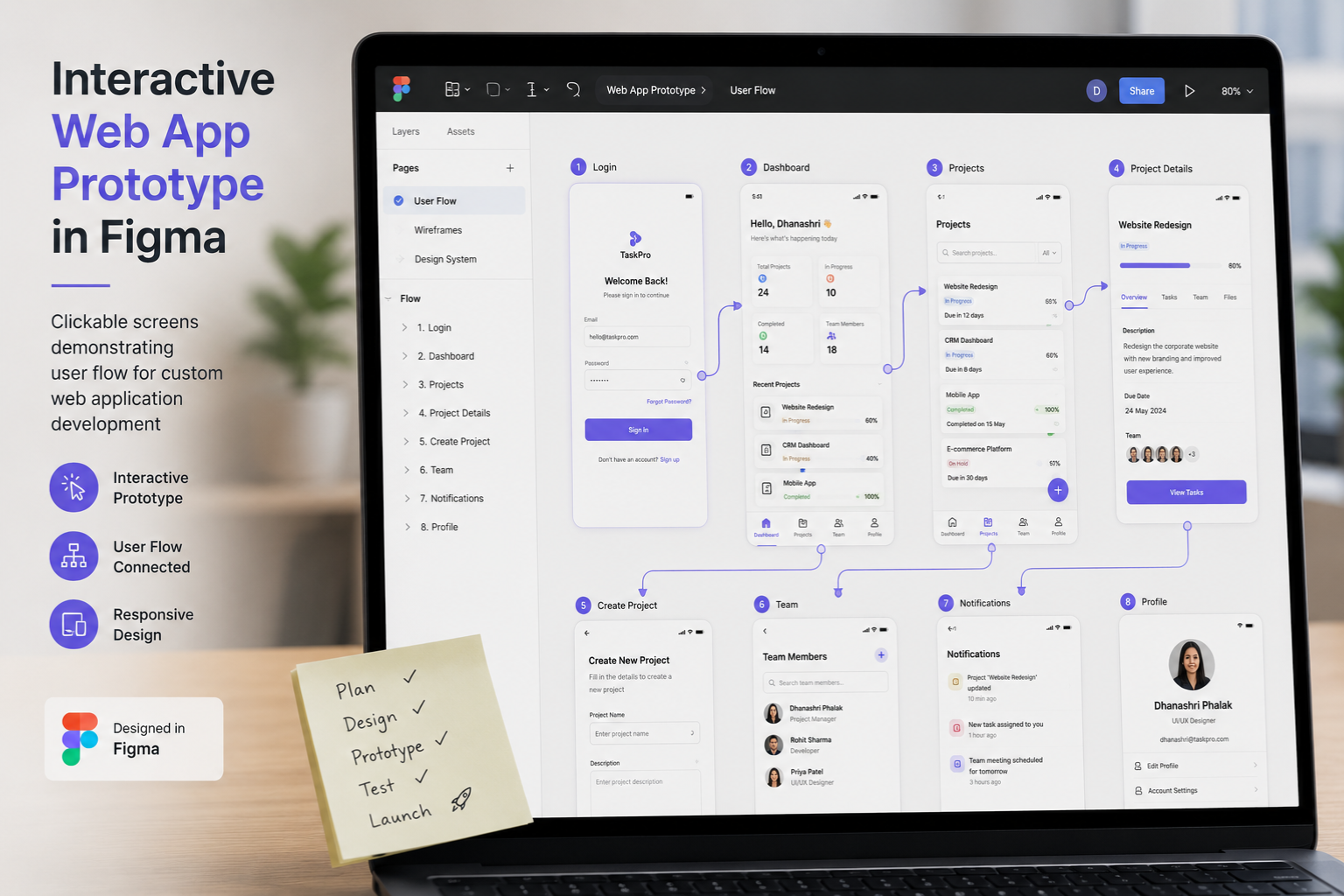
We pushed back. Before writing a single line of code, we spent two weeks building clickable prototypes in Figma. Not pretty designs, just functional flows. We sat with their purchase team and had them actually try to complete real tasks: adding a supplier, comparing quotes, raising a PO.
Within three days of testing, we discovered their entire mental model was wrong. They thought they needed a system organized by supplier. Turns out their team actually thought in terms of raw materials first, then looked for suppliers. Complete opposite workflow.
If we’d started coding their original specs, we’d have built something technically perfect that nobody wanted to use. Instead, we spent ₹45,000 and two weeks on prototyping, which saved them at least ₹4 lakhs in development costs and six months of building the wrong thing.
What actually works: Spend 10-15% of your budget on interactive prototypes before any real development starts. Use tools like Figma, Adobe XD, or even Marvel App. Get them in front of real users within two weeks. Watch them struggle. That struggle is gold.
Myth #2: Prototyping Means Making It Look Pretty
This one drives me crazy. People think prototyping is about design mockups and color schemes. They hire designers to create beautiful screens that look amazing in presentations.
Then they hand those to developers who realize half the designs are technically impossible or would take six months to build. Or worse, everything’s buildable but the actual user flow makes no sense because nobody thought about the logic, just the aesthetics.
Look, I’m all for good design. But in rapid web application development, your early prototype should be ugly. I mean really ugly.
Your first prototype’s job isn’t to impress anyone. It’s to answer three questions:
- Can users figure out how to do what they came here to do?
- Does the core functionality solve the actual problem?
- What’s missing that we didn’t think of?
Honestly, some of our best early prototypes at Webcomp Digitex have been built with Google Sheets and Zapier. Zero design. Just logic and data flow.
We worked with a real estate agency in Wakad that wanted a lead distribution system. Different agents specialize in different property types and areas. They needed leads to automatically route to the right person.
Before touching custom web application development, we prototyped the entire thing in Google Sheets with conditional logic and automated emails via Zapier. Cost us maybe ₹8,000 and three days. It was ugly as hell. But it worked.
They ran it for two weeks. Discovered their routing logic needed seven exceptions they hadn’t thought of. Agents kept manually reassigning leads because their original rules were too simple.
We updated the Sheet. Tested again. After four weeks, we had routing rules that actually matched reality. Only then did we start building the proper web app, and we built it right the first time because we’d already solved the hard problems.
What actually works: Build the ugliest possible version that tests your core logic. Paper sketches. Wireframes. Spreadsheets. Whatever gets you real feedback fastest. Save the pretty version for after you know it works.
Myth #3: You Need a Technical Co-Founder or Expensive Developers Right Away
This myth keeps a lot of good ideas from ever getting tested. Someone has an idea for a web app. They think “I need to find a technical co-founder” or “I need to hire a development team.”
So they spend months looking for the right technical person. Or they save up a big budget. Meanwhile, the idea just sits there, untested.
Here’s something I’m not 100% sure everyone will agree with, but it’s been my experience: for early prototyping, you don’t need developers at all.
You need to be resourceful. You need no-code tools. You need to be willing to fake things manually at first.
A healthcare startup in Hinjewadi came to Webcomp Digitex wanting a telemedicine platform. Video calls, appointment booking, prescription management, the works. They were pricing out custom development at ₹12-15 lakhs.
We told them to slow down. First, prove people will actually use it.
We built their initial prototype using Calendly for bookings, Zoom for video calls, Google Forms for intake, and WhatsApp for prescription delivery. The “platform” was held together with duct tape and manual processes. But it worked well enough to test.
They ran it for eight weeks with 50 patients. Learned a ton. Most importantly, they discovered that their target users (45+ age group) really struggled with video calls. They wanted phone calls instead, with optional video. Their entire original concept needed rethinking.
That learning cost them maybe ₹15,000 and two months. Compare that to building a full video-first platform that users wouldn’t adopt.
Now here’s the thing: eventually, you do need real web app development. We’re not suggesting you run your business on duct tape forever. But there’s a massive difference between prototyping to validate an idea and building a scalable web application.
Do the cheap validation first. Then invest in proper development when you actually know what you’re building.
What actually works: Use no-code tools like Bubble, Webflow, Airtable, or Glide for early prototypes. Chain together existing tools with Zapier or Make. Fake things manually before automating them. Only hire developers once you’ve validated the core concept and actually understand what needs to be built.
Myth #4: Rapid Means Cutting Corners on User Research
There’s this weird belief that if you’re moving fast, you can’t afford proper user research. Just build something, throw it out there, see what sticks.
That’s not rapid web application development. That’s gambling.
Speed doesn’t mean skipping research. It means doing research differently. Faster, lighter, more iterative.
Traditional user research can take months. Recruit participants, schedule lab sessions, analyze results, write reports. You don’t have time for that when you’re prototyping.
But you can do this: find five potential users this week. Show them your rough prototype. Watch them try to use it. Ask “what were you expecting to happen there?” when they look confused.
That’s it. Five users will uncover 85% of your major usability problems. You don’t need 50 participants and a fancy lab. You need five real people and 90 minutes of your time.
We’ve been doing this at Webcomp Digitex for years. For an e-commerce client in Pimpri-Chinchwad launching a B2B ordering portal, we recruited five procurement managers from their existing customer base. Gave each of them ₹500 for their time. Spent an hour per person walking through the prototype.
The feedback was brutal and incredibly valuable. Their search function that seemed so clever to us? Totally confusing to actual users. The “quick reorder” feature they were excited about? Placed in a spot nobody noticed.
We redesigned based on that feedback. Tested with five different users the next week. Much better. Two rounds of five-user testing cost them maybe ₹12,000 total and gave them more useful insights than any amount of internal debate would have.
What actually works: Test with five real users every week or two during prototyping. Keep sessions informal. Watch them use your prototype while they narrate their thinking. Don’t defend your choices. Just listen and take notes. Iterate based on what you see, not what people say they’d do.
What Rapid Web Application Development Actually Looks Like
Okay, so if all those myths are wrong, what’s the right approach? Here’s the process we use at Webcomp Digitex when helping clients in Pune rapidly prototype web application ideas:
Week 1: Problem definition and assumption mapping
Before anything else, write down every assumption you’re making. About your users, their problems, what they’ll pay for, how they’ll use the app. Get specific. “Businesses want this” isn’t specific enough. “Operations managers at 20-50 person manufacturing companies in MIDC spend 4+ hours per week manually consolidating production data and would pay ₹15,000/month to automate it” — that’s specific.
Then rank those assumptions by two factors: how critical they are to your idea, and how uncertain you are about them. The ones that are both critical and uncertain? Those need testing first.
Week 2-3: Paper prototypes and user interviews
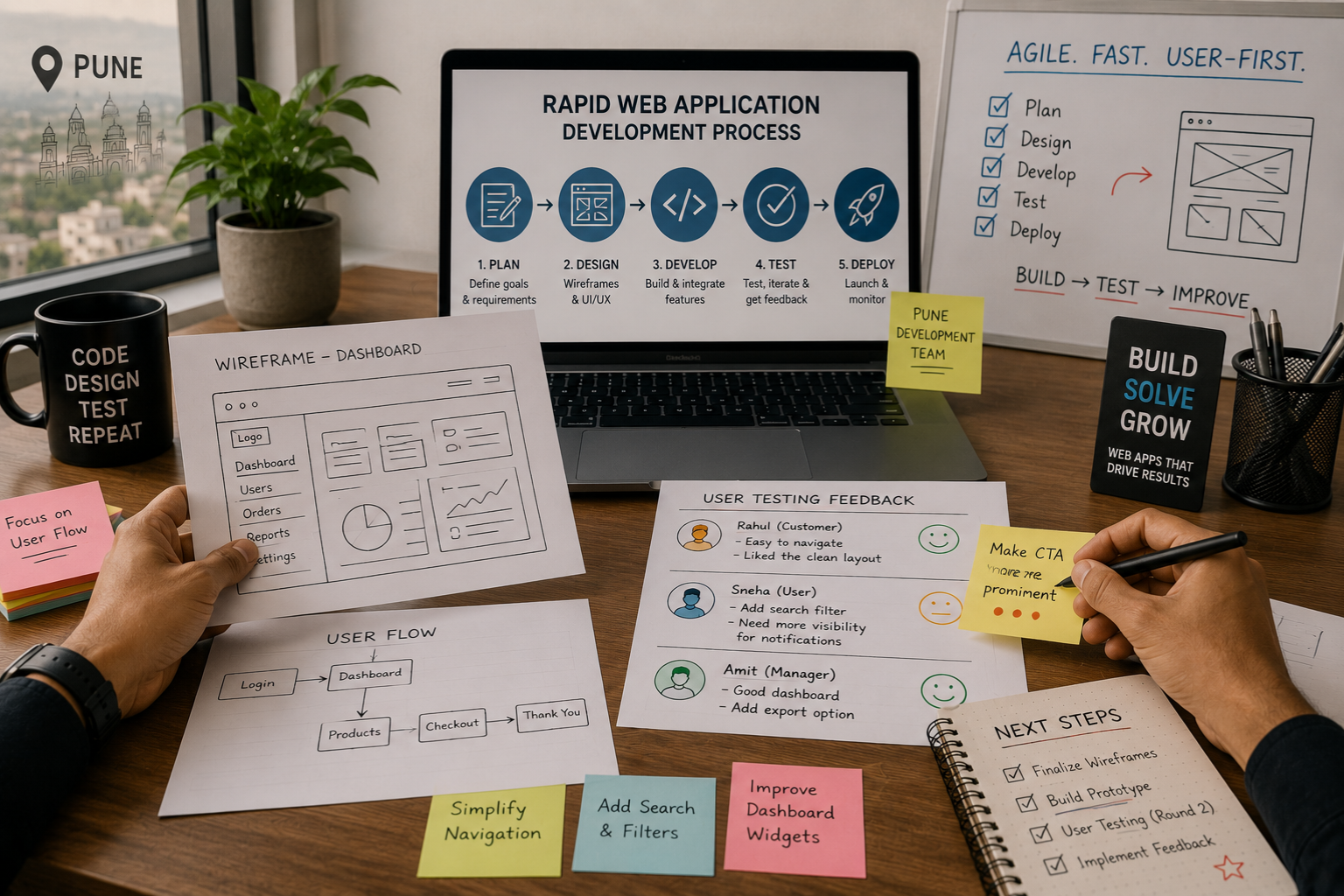
Sketch out the basic user flows on paper or in a simple tool like Balsamiq. Don’t worry about making it functional yet. Just map out the screens and what happens when users click things.
Find 5-8 potential users. Show them your sketches. Walk them through scenarios. “You need to do [specific task], how would you do that?” Watch where they get confused.
This sounds almost too simple to be useful. But I’ve seen this two-week process completely reshape product ideas more times than I can count.
Week 4-6: Interactive prototype
Now build something clickable in Figma, Adobe XD, or a no-code tool like Bubble. It doesn’t need to work with real data. It just needs to let users click through the flows and see what happens.
Test again. Same approach, different users if possible. This time you’re watching for more subtle things: do they understand what actions are available? Does the flow match their mental model? Are they completing tasks without help?
Week 7-8: Wizard of Oz prototype
This is where it gets interesting. Build a prototype that looks real to the user, but you’re doing a bunch of things manually behind the scenes. Like that Hinjewadi healthcare example earlier — it looked like an integrated platform to patients, but we were manually handling a lot of the connections.
This is the most valuable phase. Users are interacting with something that feels real, so their behavior is genuine. But you’re not locked into any technical decisions yet. You can change the entire backend logic overnight if needed.
After that: Decision time
By week 8, you should know whether this idea has legs. Not “might work” — you should have real evidence of people using your prototype and getting value from it. Even if it’s clunky and held together with duct tape.
If the evidence is there, great. Now’s the time to invest in proper custom web application development company services. You’ve de-risked the project enormously.
If the evidence isn’t there? You just saved yourself six months and ₹8-12 lakhs by learning fast.
The Tools We Actually Use for Rapid Prototyping
People always ask what tools they should use. Honestly, the tool matters way less than the approach. But here’s what we reach for at Webcomp Digitex:
For wireframes and early concepts: Balsamiq, paper and pen (seriously), or Whimsical. Quick and ugly is the goal.
For interactive prototypes: Figma is our go-to. It’s gotten so good that you can build surprisingly complex interactions without code. Adobe XD works too, though I find Figma’s collaboration features better.
For no-code functional prototypes: Bubble if it needs to be web-based and somewhat custom. Glide if it can work as a mobile-first app built on Google Sheets. Airtable + Softr if it’s more database-focused. Webflow if content and marketing pages are important.
For connecting things together: Zapier for simple automations. Make (formerly Integromat) if you need more complex logic.
For testing: Maze or UseTweet for remote testing if you can’t meet users in person. But honestly, nothing beats sitting with someone while they use your prototype. Video calls work okay too — we use Google Meet and ask people to share their screen.
For tracking behavior: If you do build a functional prototype, throw Hotjar on it. Watching session recordings of real people using your prototype teaches you things you’d never think to ask about.
Why Most Agencies Won’t Tell You This
Here’s something kind of cynical but true: most web development companies would rather you skip straight to building. Because building is where the big budgets are.
A two-month prototyping phase might cost ₹80,000 to ₹1,50,000. Building the full application might cost ₹8-15 lakhs. Guess which one an agency prefers selling you?
Look, I get it. We’re a business too. Web app development projects are how Webcomp Digitex pays the bills. But I genuinely believe the prototyping-first approach leads to better outcomes, which leads to happier clients, which leads to more referrals and long-term relationships.
I’d rather make less money upfront and build something that actually works than charge you ₹12 lakhs to build something you’ll never use.
And here’s the thing: when we do thorough prototyping, the actual development goes faster and smoother. We’re not discovering fundamental problems halfway through development. We’re not rebuilding features three times because nobody tested the concept first. The project stays on budget and on schedule because we’ve already solved the hard problems.
A manufacturing client in Chakan — different from the one I mentioned earlier — came to us wanting a production tracking system. They had a budget of ₹8 lakhs and a six-month timeline.
We convinced them to spend ₹1.2 lakhs on six weeks of prototyping first. They weren’t thrilled about “delaying” the project. But the prototyping revealed that their proposed system wouldn’t work with their actual shop floor processes. We redesigned the approach.
The final custom web application development took four months instead of six and came in at ₹6.5 lakhs. They spent more time upfront but less overall, got a better product, and launched it two months faster than their original timeline.

Frequently Asked Questions
How much should I budget for rapid prototyping before actual development?
In my experience, budget 10-20% of your total project cost for prototyping. So if you’re planning to spend ₹10 lakhs on development, set aside ₹1-2 lakhs for prototyping first. That might feel like a lot upfront, but it typically reduces your total development costs by 20-30% by preventing false starts and rebuilds. For smaller projects under ₹5 lakhs, the prototyping percentage might be higher — maybe 25-30% — because there’s a baseline amount of user research that makes sense regardless of project size.
Can’t I just use templates or clone an existing app to move faster?
You can, and sometimes that works. But here’s the trap: templates and clones make it easy to build something that looks like a solution but doesn’t actually fit your specific use case. I’ve seen businesses spend months customizing a template when building from scratch would’ve been faster. Templates work best when your needs are genuinely generic. If there’s anything unique about your workflow, your users, or your business model — and there usually is — you’ll fight the template constantly. Prototyping helps you figure out whether a template actually fits before you commit to it.
How do I find users to test my prototype with if I’m starting from scratch?
This is easier than you think. Start with your network: if you’re solving a problem, you probably know other people with that problem. Reach out directly. For B2B apps, LinkedIn makes it easy to find people in specific roles. Offer them ₹500-1000 for an hour of their time. If you’re really starting from zero, post in relevant Facebook groups or subreddits. People are usually willing to help if you’re respectful of their time and genuinely curious about their feedback. At Webcomp Digitex, we’ve helped clients recruit testers from industry associations in Pune, local business groups in Kharadi and Baner, and even posted in WhatsApp groups. Five users is your target. You can find five.
What if my idea requires complex backend logic that’s hard to prototype?
Focus on prototyping the user experience and the decisions, not the technical implementation. You can fake complex logic manually during early testing. For instance, if you’re building something with AI recommendations, you can play the role of the AI yourself in early tests. Show users results you’ve manually curated. Watch how they respond. Yes, this doesn’t scale, but that’s fine — you’re not trying to scale yet. You’re trying to validate whether users want what the AI would provide. The technical “how” comes after you’ve validated the “what” and “why.” That said, if the core innovation is the backend tech itself, not the user experience, you might need to build a technical prototype separately. But that’s rare for most business applications.
How long does rapid prototyping typically take?
For most web applications, we’re talking 6-10 weeks at Webcomp Digitex to get from concept to validated prototype. That breaks down roughly to: 1 week problem definition, 2-3 weeks initial prototypes and testing, 3-4 weeks interactive prototype and iteration, 1-2 weeks final validation. This assumes you can access users for testing without huge delays. If you’re building something really complex, it might stretch to 12 weeks. If it’s relatively simple, you can sometimes validate a concept in 4 weeks. But 6-10 weeks is the sweet spot where you’re moving fast but not skipping important validation steps.
Stop Building, Start Prototyping: Work with Webcomp Digitex
Look, I’ve spent 2,500 words trying to convince you that most people approach rapid web application development backwards. They build first, validate later. Then they wonder why they’re six months in and ₹8 lakhs deep with a product nobody wants to use.
The businesses that succeed in Pune’s competitive market — whether they’re in manufacturing, healthcare, real estate, or e-commerce — are the ones that test fast and fail cheap. They validate ideas before betting the farm on them.
That’s what we help companies do at Webcomp Digitex. We’re not just a custom web application development company that writes code. We help you figure out what’s worth building in the first place.
If you’ve got a web app idea that you’re excited about but unsure how to start, let’s talk. We’ll walk you through the prototyping process, help you test your assumptions, and make sure you’re solving a real problem before writing a single line of production code.
We work with businesses across Pune — Hinjewadi, Baner, Kharadi, MIDC, Wakad, Pimpri-Chinchwad, and beyond. We understand the local market, the constraints you’re working with, and what actually moves the needle for Indian SMBs.
Call us at +91-9960802498 or visit webcompdigitex.com to talk through your idea. First conversation is always free, and we’ll tell you honestly whether you need rapid prototyping, full development, or maybe just a simpler solution you haven’t considered.
Stop guessing. Start prototyping. Let’s build something people actually want to use.


