
Internal Linking Strategy: The Underrated SEO Tactic That Changed Everything for a Pune Healthcare Client
Priya called me in March 2023, frustrated beyond words.
She ran a multi-specialty clinic in Wakad. They’d invested ₹1.2 lakhs in content over six months. Hired a content writer who pumped out 40+ blog posts about health conditions, treatments, preventive care. Good stuff, actually. Well-researched, helpful for patients.
But here’s the thing: their organic traffic had barely budged. Maybe 8% growth. Nothing to write home about.
“Raghav,” she said, “I don’t get it. We’re publishing every week. The content is good. Why aren’t we seeing results?”
I pulled up their site in Ahrefs. The content quality was genuinely solid. But when I looked at their internal linking structure, I understood the problem immediately.
Each blog post existed like an island. They’d write a detailed post about diabetes management, publish it, and move on. No links connecting it to their post about healthy eating. No connection between their article on joint pain and their piece about physiotherapy services. Nothing tying their symptom-based posts to their service pages.
Here’s what I mean: they had this fantastic article ranking on page 3 for “signs of thyroid problems in women”. But nowhere in that 2,200-word post did they link to their endocrinology service page. They were getting the reader halfway there, then abandoning them.
We fixed their internal link strategy without writing a single new post. Just went back through existing content and built a proper linking structure.
Five months later, organic traffic was up 47%. More importantly, consultation bookings from organic search had more than doubled.
That’s when I became a bit obsessed with internal linking.

Why Your SEO Content Writing Service Needs an Internal Linking Strategy
Look, I get it. Internal linking sounds boring. It’s not as exciting as keyword research or writing compelling headlines. Most businesses that invest in an seo content writing service focus on the content itself, which makes sense.
But here’s what most people don’t realize: Google doesn’t experience your website the way humans do. You know your site has a page about custom manufacturing services in Chakan and another about quality certifications. You understand they’re related.
Google doesn’t. Not unless you connect them.
Internal links are how you teach Google the architecture of your knowledge. You’re saying, “Hey, this piece about lean manufacturing principles? It’s related to our case study about reducing production waste. Connect those dots.”
And it’s not just about Google. Think about your actual visitors.
Someone lands on your blog post about “choosing the right CNC machine for small batch production” because that’s what they searched for. Great. But if they’re asking that question, they probably also want to know about maintenance costs, skilled operator availability in Pimpri-Chinchwad, or how to calculate ROI.
If you don’t link to those related pieces, they’ll bounce back to Google to find those answers. Maybe they land on a competitor’s site next time.
When we work with clients at Webcomp Digitex, we’ve seen this pattern repeatedly: businesses invest in content creation but treat each piece as a standalone asset. They’re building a library with no catalog system.
The result? Content that could work together to build topical authority just… doesn’t.
The Manufacturing Client Who Taught Me How Internal Links Build Authority
Here’s a story that really drove this home.
We started working with a precision components manufacturer in Chakan in late 2022. They made parts for automotive and aerospace clients. High-precision stuff, tight tolerances, all that.
They’d been publishing technical content for about a year before we met. Articles about machining tolerances, material properties, quality control processes. Really detailed, written by their production head who actually knew his stuff.
But their “CNC machining services” page? Barely ranking. Page 4 for their main keywords.
I noticed something: they had six different blog posts that touched on various aspects of CNC machining. Thread milling. Five-axis capabilities. Material selection. Tolerance specifications.
Not one of them linked to their service page.
Think about it from Google’s perspective. You’ve got a service page saying “we’re experts in CNC machining” and a bunch of detailed technical content that proves you know what you’re talking about. But there’s no connection between them.
We built what I call a “hub and spoke” structure. The service page became the hub. All those technical posts became spokes, each linking back to the hub with relevant anchor text. But we also cross-linked the spokes to each other where it made sense.
The post about thread milling? We added a link to the five-axis capabilities post, because thread milling complex geometries often needs five-axis work. The material selection post? Linked to the tolerance specifications article, because material choice affects achievable tolerances.
Within four months, their CNC machining service page moved from page 4 to position 6 on page 1. That’s for a competitive B2B keyword in the manufacturing space.
But here’s the part that really mattered to them: the average session duration for people who landed on blog posts increased by 73%. People were actually clicking through, reading multiple articles, eventually landing on service pages.
Their sales head told me something I’ll never forget: “Earlier, when someone filled out our contact form, we’d have to educate them from scratch. Now they come in already understanding our capabilities. Half the work is done.”
That’s the power of a proper internal linking strategy working alongside good seo content writing service.
How Internal Links Actually Affect On Page SEO (Beyond Just PageRank)
Let me get a bit technical for a minute, but I’ll keep it practical.
There’s this concept called “link equity” or “link juice” — basically, the ranking power a page has. External backlinks give your site link equity. Internal links distribute that equity around your site.
But it’s not just about passing ranking power around. Internal linking affects on page seo in ways most people don’t think about:
Crawl efficiency. Google has a crawl budget for your site, especially if you’re not a massive domain. If your new blog post sits orphaned with no internal links pointing to it, Google might take weeks to find and index it. We saw this with an e-commerce client in Kharadi. They’d publish product pages but wouldn’t link to them from relevant blog content or category pages. Sometimes those pages wouldn’t get indexed for 20-30 days. Once we implemented better internal linking from day one, new pages started getting indexed within 48 hours.
Contextual relevance. The words you use in your anchor text tell Google what the linked page is about. If five different pages link to your “real estate investment in Hinjewadi” article using variations of that phrase, Google gets a strong signal about the page’s topic. But you’ve got to be natural about it. I’ve seen businesses obsess over exact-match anchor text and end up with something that reads like spam. Mix it up. Use the exact keyword sometimes, variations other times, and sometimes just contextual phrases like “we covered this in detail here” or “read more about property appreciation trends.”
Dwell time and engagement signals. This one’s harder to measure directly, but I’m convinced it matters. When someone lands on a page and clicks through to two or three more pages on your site, spending 8-10 minutes total instead of 90 seconds, that sends signals. Google’s smart enough to understand engagement patterns. A well-linked site keeps people engaged.
Topic clusters and semantic relationships. Google’s gotten really good at understanding topics, not just keywords. When you link related content together, you’re helping Google map out your expertise in a topic area.
I’ll give you a real example from our work at Webcomp Digitex. We worked with a real estate developer in Baner who wanted to rank for various “flats in Baner” related keywords. We created what we called a “Baner neighborhood authority cluster”:
- Main service page: 2 & 3 BHK flats in Baner
- Supporting content: Schools in Baner, IT companies near Baner, Baner connectivity and infrastructure, Investment potential in Baner, Baner vs. Hinjewadi for homebuyers
Each supporting piece linked to the main page and to each other where relevant. Within six months, they were ranking position 3-7 for multiple “flats in Baner” variations. But the surprise win? They also started ranking for informational queries like “is Baner good for families” and “Baner infrastructure development” — queries that sent qualified traffic even though they weren’t directly commercial.
That’s the semantic relationship benefit. Google understood they were a genuine authority on Baner real estate, not just someone targeting keywords.

The Internal Link Strategy That Actually Works (Not the Textbook Version)
Here’s where I’m going to diverge from what you’ll read in most SEO blogs.
The standard advice is: “Create topic clusters, build pillar pages, link everything logically.” Sure. Great in theory.
But when you’re a small business in Pune with maybe 30-40 pages on your site and publishing one blog post a week, you need something more practical.
Here’s what actually works when we implement internal linking strategies for clients:
Start with your money pages. These are your service pages, product pages, contact pages — whatever drives revenue. List them out. These need the most link equity. Every relevant blog post should link to at least one money page. Non-negotiable.
I’m not saying force it. But if you’re writing about “common HVAC problems in Pune summers” and you offer AC maintenance services, that link should be there naturally.
The three-click rule, sort of. Old web usability wisdom says users should reach any page within three clicks. For internal linking, I think about it differently: any page should be no more than three clicks from your homepage.
Why? Because your homepage typically has the most link equity from external backlinks. The further away a page is, the less equity flows to it.
We audited a healthcare client’s site using Screaming Frog and found some of their best blog content was 6-7 clicks deep from the homepage. No wonder it wasn’t ranking despite being well-written. We restructured their navigation and added category pages that connected everything better. Those deep pages started ranking within weeks.
Contextual over sidebar. You’ll see sites with those “related posts” widgets in the sidebar. They’re fine. They help a bit. But contextual links within the actual content carry more weight. Both for users (you’re recommending something specific at the right moment) and for search engines (the surrounding context adds meaning).
When I see a blog post that just dumps three “you might also like” links at the bottom, I know it’s a missed opportunity. The writer should be thinking, “At what point in this article would linking to our pricing page make sense? Where would a case study add value?”
New pages link to old, old pages link to new. This sounds obvious but it’s where most businesses fail. Publishing a new post? Sure, you add links from that post to your existing cornerstone content. But do you go back to your existing high-performing posts and add links to the new one?
Probably not. That’s the mistake.
Your post from eight months ago that ranks position 4 for a decent keyword and gets 200 visits a month? That’s a perfect place to add a link to your new, related post. You’re funneling some of that existing traffic to fresh content and telling Google, “Hey, this new piece is part of our expertise in this area.”
At Webcomp Digitex, we maintain a content calendar that includes a column for “update opportunities.” Every time we publish something new for a client, we identify 3-5 existing posts that should link to it and actually make those updates. Takes an extra 30 minutes. Makes a massive difference.
Anchor text variety, but strategic. I mentioned this earlier but it’s worth expanding. You want variety:
- Exact match: “seo content writing service in Pune”
- Partial match: “content writing for SEO”
- Branded: “Webcomp Digitex’s content services”
- Generic: “this service” or “learn more”
- Contextual: “we wrote a detailed guide to content strategy”
The ratio I aim for with clients: about 30% exact/partial match, 70% everything else. Feels natural, avoids over-optimization penalties.
Don’t forget images. This is something only people who’ve actually implemented this stuff would think about. Your images can have internal links too. A relevant infographic from an old post? Embed it in a new post with a link back to the original. A service icon that appears on multiple pages? Link it to the relevant service page.
We did this for an e-commerce client selling furniture. They had lifestyle photos showing, say, a sofa in a living room setting. That image appeared on the sofa product page. But we also embedded it in a blog post about “living room design ideas for 2BHK flats” with a link to the product. Small thing, but it created more pathways.
The Mistakes I See Even “Professional” SEO Content Writing Services Make
I’ve audited probably 50+ websites in Pune over the last two years. Businesses that invested in content. Sometimes hired agencies or freelancers for seo content writing service. The content quality ranges from decent to genuinely good.
But the internal linking? It’s usually a disaster.
Here are the mistakes I see over and over:
Mistake one: The orphan page problem. Pages that have no internal links pointing to them. You’d be shocked how common this is. A client in the healthcare space had published 15 blog posts. Three of them had exactly zero internal links from other pages. The only way to find them was through the blog archive page, which itself wasn’t prominently linked.
Those posts might as well not exist. Google found them eventually, but they never ranked well. No link equity flowing to them. We added 2-3 contextual links to each from related posts. Two of the three started ranking on page 2-3 within a month.
Mistake two: Excessive homepage linking. Every page linking back to the homepage with “Home” in the navigation is fine, that’s standard. But I see sites where every blog post has 3-4 additional links to the homepage in the content itself. “Visit our homepage to learn more” or “see our homepage for services.”
Why? The homepage usually doesn’t need help ranking. It’s got the most external backlinks. All that link equity should flow to pages that need it more — your service pages, cornerstone content, conversion pages.
Mistake three: No deep linking. Links only go one level deep. Homepage links to service pages, service pages link back to homepage, blog posts link to homepage. That’s it.
Nobody’s linking to that case study buried in your portfolio. Nobody’s linking to that detailed FAQ page. Nobody’s linking to specific product pages.
Deep linking distributes authority throughout your site. When we implemented deep linking for a manufacturing client — blog posts linking to specific case studies, case studies linking to technical specification pages, spec pages linking to relevant blog posts — their overall organic visibility increased 34% in three months. Not because we built backlinks. Just because we used what they already had better.
Mistake four: Same anchor text, every time. I reviewed a site where the phrase “digital marketing services” linked to their services page 23 times across different blog posts. Always the exact same phrase. Never a variation.
That’s not how humans write. It’s how robots trying to game SEO write. And Google’s smart enough to spot it. Vary your anchor text. Make it natural.
Mistake five: Linking for Google, not for users. This is the biggest one. You can feel when an internal link is there just for SEO. It doesn’t add value to the reader. It’s forced into an awkward sentence.
If a link doesn’t help your reader, don’t add it. Even if it’s good for SEO in theory, it’ll backfire because it degrades the user experience.
I’ve seen blogs where every other sentence has a link. The reader can’t focus on the content because they’re bombarded with blue underlined text. That’s not helpful. That’s annoying.
At Webcomp Digitex, we train our content writers to ask: “Would I personally click this link right now if I were the reader?” If the answer is no, we rethink it.
The Simple Internal Linking Audit You Can Do This Week
You don’t need expensive tools to start fixing your internal linking. I’m not saying tools don’t help — we use Screaming Frog, Ahrefs, and SEMrush regularly. But you can get 70% of the way there with Google Search Console and a spreadsheet.
Here’s a simple audit process:
Step one: List all your important pages. Service pages, product pages, your best blog posts (check Google Search Console for posts that get impressions). Put them in a spreadsheet.
Step two: For each page, manually check how many internal links point to it from other pages. You can see this in Ahrefs if you have it (Site Explorer > enter URL > Inbound internal links). Or just use Google. Search: `site:yoursite.com “text on the page”` and see what shows up.
Step three: Identify orphan pages or pages with very few internal links. Anything important with less than 3-5 internal links needs attention.
Step four: Look at your top-performing blog posts (traffic from Google Search Console). These should be linking to your money pages. Check if they are. If not, that’s a quick win.
Step five: Check your newest content. Are you linking to it from your existing popular posts? If you published something three weeks ago and haven’t updated any old content to link to it, do that now.
This whole process takes maybe 2-3 hours for a site with 50-100 pages. But it’ll show you exactly where the gaps are.
We did this audit for a client in Hinjewadi — IT services company. They had a blog post ranking position 2 for “custom software development for manufacturing” getting about 400 visits a month. Fantastic post, genuinely helpful.
But it had zero links to their actual software development service page. Not one.
Adding two contextual links in that post (and similar updates to three other high-traffic posts) increased traffic to their service page by 180% in one month. That’s not additional organic traffic from Google. That’s just better internal traffic flow. And those service page visitors? Much higher conversion rate than cold traffic.
How We Build Internal Link Strategy Into Our SEO Content Writing Service
When clients work with Webcomp Digitex on content, internal linking is part of the package from day one. It’s not an afterthought.
Here’s our process:
Before writing: We map the content ecosystem. What exists already? Where are the gaps? How will this new piece fit into the broader architecture?
If we’re writing a blog post about “preventive maintenance for industrial machinery,” we already know it should link to the client’s maintenance service page, probably their case study about reducing downtime for a Pimpri-Chinchwad client, and maybe their post about predictive maintenance technologies.
During writing: Our writers add internal links as they write, not at the end. When they mention a related concept, they link to it if we’ve covered it. This keeps the links natural and contextual.
After publishing: This is the part most services skip. We go back to 3-5 existing posts that should link to the new one and update them. Sometimes we even refresh old content to make the link placement more natural.
Monthly review: Once a month, we review a client’s internal linking structure. Are there pages that need more link equity? Are there new opportunities we’ve missed?
I know this sounds like a lot of work. Honestly, it kind of is. But that’s exactly why most businesses don’t do it. And that’s why it’s such a good opportunity.
When your competitors are publishing content but ignoring internal linking, and you’re doing both, you’re going to win. Simple as that.
One of our e-commerce clients in Kharadi was competing with much bigger players in the home decor space. We couldn’t outspend them on content volume. They were publishing 15-20 posts a month; our client’s budget allowed for 4-6.
But we built every piece to fit into a strategic internal linking structure. We created category cornerstone pages and made sure every blog post funneled link equity and traffic toward them. We cross-linked product collections intelligently.
After eight months, our client was outranking competitors who had 3x more content. The difference? Theirs was a pile of disconnected articles. Ours was a web of interconnected expertise.
The Technical Bit: Nofollow, Dofollow, and When to Actually Care
Quick technical aside because I get asked about this constantly.
Most internal links should be “dofollow” — the default. That passes link equity and helps with SEO.
“Nofollow” tells Google not to pass link equity and not to follow that link for crawling purposes (though Google may still crawl it through other means).
When should you use nofollow for internal links? Honestly, almost never for most small and medium businesses.
The main use case: links to login pages, user-generated content, or pages you want Google to ignore (like thank you pages after form submissions).
I’ve seen people worry about “wasting link equity” on unimportant pages. In theory, sure, if you have thousands of pages, you might want to sculpt PageRank flow. In practice, for a business with 100 pages? Don’t overthink it. Just link naturally and make sure important pages get more links than unimportant ones.
The time you save not obsessing over nofollow vs. dofollow is better spent actually creating good links.
Bringing It All Together: What Changed for That Wakad Healthcare Client
Remember Priya from the beginning? The clinic in Wakad with 40 blog posts and barely any traffic growth?
We didn’t write a single new post for the first two months. We just fixed the internal linking structure on what they already had.
Here’s specifically what we did:
- Created service pages as hubs. They had individual pages for cardiology, orthopedics, dermatology, etc. We made these the central hubs.
- Linked every relevant symptom or condition post to the appropriate service page. The diabetes management post? Linked to the endocrinology service. The joint pain article? Linked to orthopedics.
- Cross-linked related blog posts. The nutrition post linked to the diabetes post, which linked to the heart health post, which linked back to nutrition.
- Created a simple “health topics” resource page that linked to all their cornerstone content, and made sure that page was prominently linked from the homepage.
- Went through their top 10 traffic-generating posts and added links to newer content that wasn’t getting visibility.
Three months in, organic traffic was up 32%. Five months in, 47%. But the real metric that mattered to Priya: consultation form fills from organic traffic went from 6-8 per month to 18-22 per month.
“I finally feel like the content investment is paying off,” she told me. “People are finding one article, reading three or four more, and by the time they contact us, they already trust us.”
That’s what good internal linking does. It’s not just about SEO rankings, though that matters. It’s about creating a journey through your expertise that builds trust and moves people toward conversion.
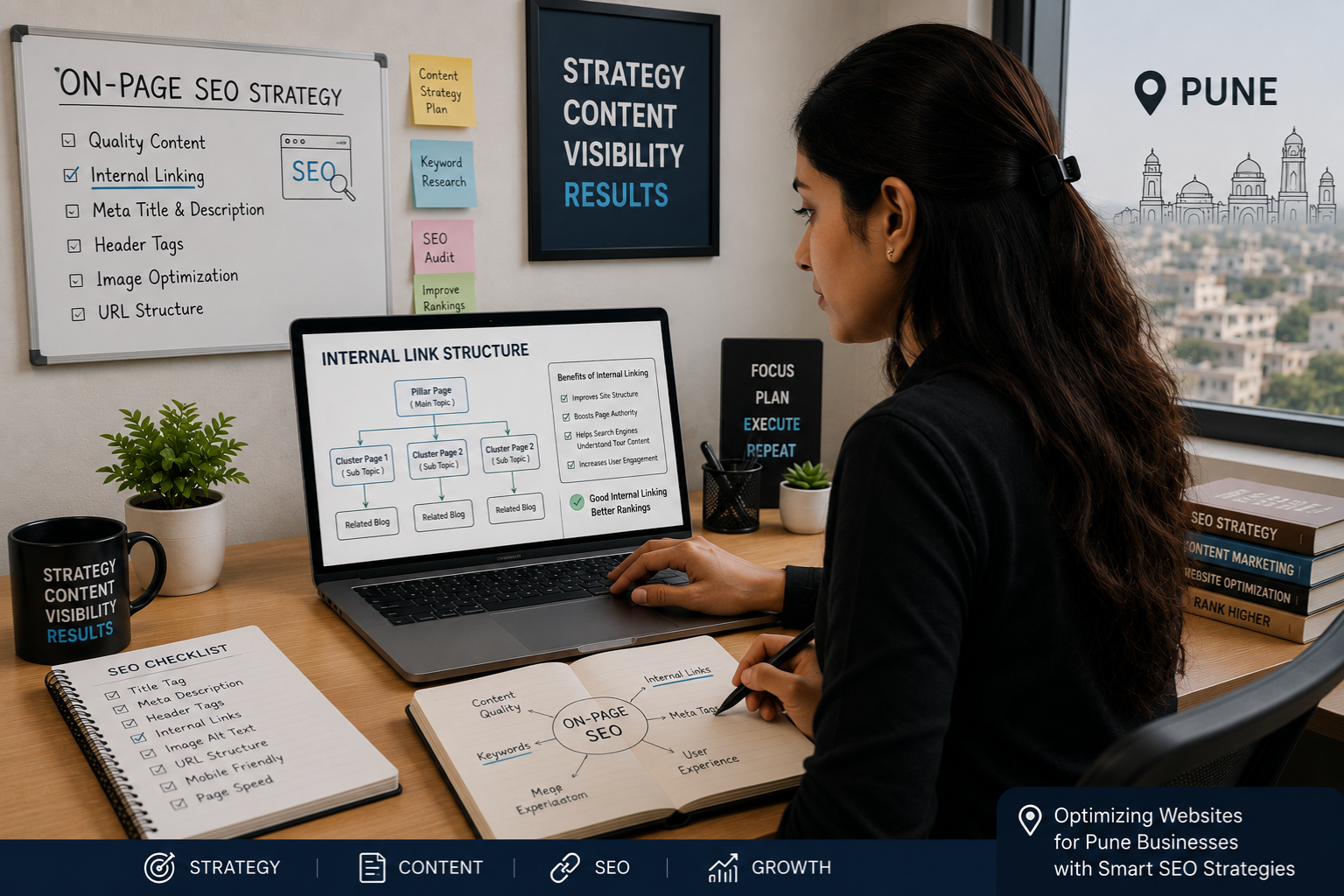
Why This Matters More Now Than Ever
Here’s something I’ve noticed working with Pune businesses over the last couple years.
Google’s gotten really good at understanding content quality. The days of keyword stuffing and thin content ranking well are mostly over (not completely, but mostly).
That means the content quality bar has gone up. Most businesses investing in seo content writing service are getting decent content now. Your competitors probably have decent content too.
So what’s the differentiator? How do you win when everyone has good content?
Architecture. Structure. Internal linking.
The businesses that treat their content as a strategic asset — something that works together as a system, not just isolated blog posts — are the ones that win.
And look, I get that it’s not sexy. Nobody gets excited about updating old posts to add internal links. It’s tedious work.
But it’s exactly the kind of tedious, unglamorous work that creates real competitive advantage. Because most people won’t do it.
We see this pattern constantly at Webcomp Digitex. A client comes to us ranking page 2-3 for their target keywords. They’ve already invested in content. It’s not bad content. They just haven’t connected the dots.
We implement proper internal linking strategy alongside our seo content writing service, and within 4-6 months they’re page 1. Not because we’re magicians. Because we’re doing the work most people skip.
If you’ve been investing in content and not seeing the results you expected, there’s a good chance internal linking is your missing piece. It was for Priya. It was for our manufacturing client in Chakan and our real estate client in Baner.
Maybe it is for you too.
Frequently Asked Questions
How many internal links should each page have?
There’s no magic number, honestly. I’ve seen recommendations ranging from 2-3 to 100+. Here’s my practical take: each blog post should have at least 2-3 contextual internal links to relevant content or service pages. Maybe 5-8 maximum unless you’re writing a super comprehensive guide where more makes sense. The key is they should all add value for the reader. If you’re adding link number 9 and thinking “eh, I’m not sure this is useful,” then don’t add it.
Should I link to the same page multiple times from one article?
Generally, no. Google probably only counts the first instance anyway. Plus it looks weird to readers. If you really need to mention the same page twice in a long article (like a 3,000-word guide), that’s fine, but make sure it’s natural and the anchor text is different.
Does the position of internal links on the page matter?
Kind of. Links higher up (earlier in the content) probably carry slightly more weight, just because Google knows users are more likely to see and click them. But I wouldn’t obsess over this. Focus on putting links where they naturally fit in the flow of your content. A perfectly placed link in the middle of an article beats a forced link in the first paragraph.
How do I know if my internal linking strategy is working?
Check a few metrics in Google Analytics (GA4) or Google Search Console. Are pages you’re strategically linking to seeing increased organic traffic? Is the average pages per session increasing (meaning people are clicking through more)? Are your money pages getting more organic entrances? Also check rankings — are the hub pages you’re building links to moving up in search results? Give it 2-3 months to see real movement.
Can too many internal links hurt my SEO?
Yes and no. Google’s not going to penalize you for having lots of internal links if they’re genuinely useful. But if you stuff a page with 50+ links that don’t add value, you’re diluting the link equity each one passes and creating a terrible user experience. Both of those hurt SEO indirectly. Keep it useful and natural, and you’ll be fine.
What’s better: linking from high-authority pages or newer pages?
High-authority pages (ones with more backlinks and existing rankings) pass more link equity, so links from them are more valuable for SEO. But links from newer pages still help with navigation and user experience. The ideal strategy uses both: get links from your high-performing pages to boost SEO, and create logical connections between newer content to build topic clusters.
Ready to Make Your Content Actually Work Together?
Here’s the thing: you’ve probably already invested in content. Maybe you’ve got 20, 30, 50 blog posts sitting on your site doing… something. Getting a bit of traffic. Not really moving the needle.
That content is an asset. But right now it’s like having a team that never practices together. Each player might be good individually, but they’re not working as a unit.
Internal linking is how you turn individual content pieces into a system that builds authority, ranks better, and actually drives conversions.
At Webcomp Digitex, we’ve spent 12+ years helping Pune businesses — manufacturing units in Chakan and Pimpri-Chinchwad, real estate developers in Baner and Hinjewadi, healthcare providers in Wakad, e-commerce companies in Kharadi — get real results from content marketing. Not just publishing for the sake of publishing. Strategic content with internal linking built in from day one.
If you’re reading this and thinking “yeah, I’ve probably got an internal linking mess on my hands,” you’re probably right. Most businesses do.
Want us to take a look? We can do a basic internal linking audit of your site and show you exactly where the opportunities are. No charge, no obligation.
Call us at +91-9960802498 or visit webcompdigitex.com. We’re based in Pune and we get how local businesses work because we’ve been doing this here for over a decade.
Your content deserves to work as hard as you do. Let’s make that happen.


