Why Your Web Application Development Agency Might Be Wrong About Headless CMS
Here’s a conversation I had last month with a manufacturing company owner in Chakan. His previous web application development agency had convinced him he absolutely needed a headless CMS for his product catalogue site. Six months and ₹8 lakhs later, his marketing team couldn’t update a single product description without calling a developer.
“They said it was the future,” he told me, frustrated. “But now I can’t even change a price without spending ₹5,000.”
Look, I’ve been building web applications for businesses in Pune for over 12 years now. And I’ve seen this pattern repeat way too many times. Someone reads about headless CMS being “the next big thing” and suddenly every project needs it. But here’s the truth: most businesses we work with at Webcomp Digitex don’t need headless architecture. Not because it’s bad—it’s actually really good for specific situations. But it’s like buying a truck when you need a sedan. Sure, it’s impressive, but is it right for what you’re actually doing?
Let me break down the most common myths I hear about headless CMS, and then we’ll figure out if it actually makes sense for your business.

Myth #1: “Headless CMS Is Faster, So We Need It”
This is probably the most widespread belief I encounter when businesses ask about web application development services. Someone somewhere told them headless means faster, and faster is always better, right?
Not quite. Here’s what actually happens.
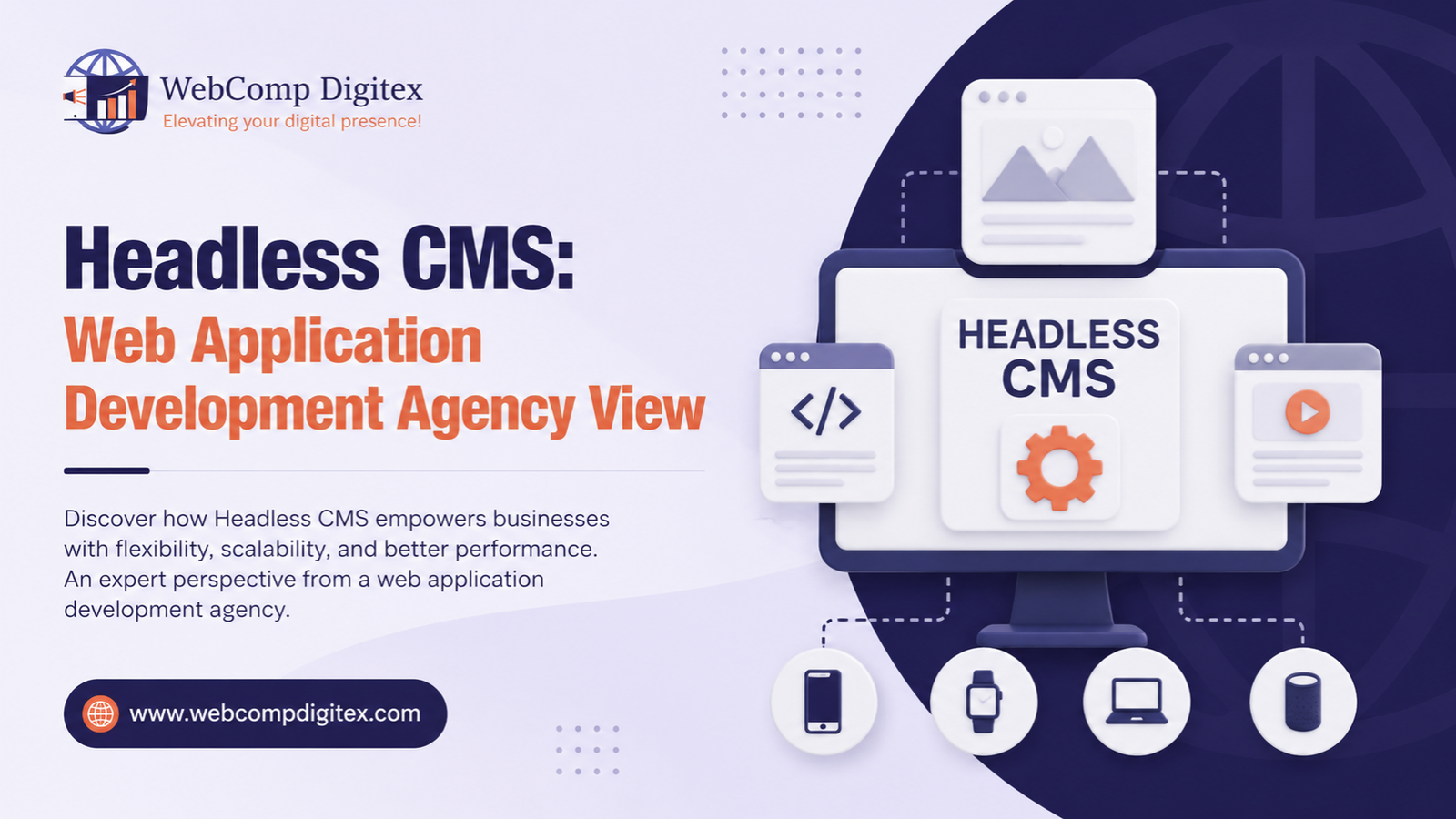
Traditional CMS platforms like WordPress or Drupal render your pages on the server. User requests a page, server builds it, user sees it. With headless CMS, you separate the content management backend from the frontend presentation. Your content lives in one place (the CMS), and you pull it through APIs to display wherever you want—website, mobile app, smartwatch, whatever.
In theory, this can be faster. You can use modern frameworks like Next.js or Gatsby to build really fast frontends. We built a real estate client’s property listing site in Baner using this approach—pages loaded in under 1 second even with 500+ listings. Beautiful.
But here’s what nobody tells you: that speed comes at a cost. Not just money (though yes, development costs are typically 2-3x higher). The real cost is flexibility for your team.
Think about it this way. With WordPress, your marketing person can log in, add a new section to the homepage, change the layout, update content, publish—all in twenty minutes. With headless? They need to understand how the frontend is built, or they need to call a developer. Every. Single. Time.
I worked with a healthcare clinic in Kharadi last year. Their previous web app development agency had built them a headless site. It looked fantastic. But when they wanted to add a COVID-19 testing information section during the pandemic, it took two weeks because their developer was on another project. With a traditional CMS, they could’ve done it themselves in an afternoon.
So yes, headless can be faster. But for most business websites—especially if you’re updating content regularly and don’t have a dedicated dev team—the operational slowdown isn’t worth the page speed gain. Especially when you can make a traditional WordPress site plenty fast with good caching and a CDN.
Here’s something only someone who’s actually built both would know: the speed advantage of headless mostly matters at serious scale. If you’re serving millions of page views per month with complex personalization, then yes, the architecture makes sense. But if you’re a manufacturing company in MIDC with 5,000 visits per month? You’re solving a problem you don’t have.
Myth #2: “We’re Omnichannel Now, So We Need Headless”
This one makes me laugh a bit. Not because omnichannel is wrong—it’s actually smart. But because “omnichannel” has become this magic word that justifies every expensive tech decision.
Here’s how this usually goes: a business has a website. Then they build a mobile app. Now they’re thinking about a smartwatch app, or an in-store kiosk, or maybe Alexa integration. And someone says, “We need headless CMS so we can reuse content everywhere!”
Sounds logical. And you know what? Sometimes it is.
But let’s get real about your actual situation. How many channels are you actually going to maintain? Not dream about—actually staff, update, and keep current?
We worked with an e-commerce client in Wakad who was convinced they needed headless for their “omnichannel strategy.” They had a website. They wanted a mobile app. They were thinking about a WhatsApp bot.
When we dug deeper, here’s what we found: Their website got updated maybe twice a week. The mobile app idea was really just “we think we should have one” without any clear use case. And the WhatsApp bot? They hadn’t even defined what it would do.
We convinced them to stick with a traditional setup using WooCommerce with a REST API. Here’s why: if they eventually did want a mobile app, WooCommerce’s API could handle it fine. But they weren’t locked into an expensive architecture they didn’t need yet.
Six months later, they’re doing ₹40 lakhs per month through the website. No mobile app yet. Still haven’t built the WhatsApp bot. And they’re really glad they didn’t spend ₹12 lakhs on headless infrastructure for channels that don’t exist.
Now contrast that with a real estate aggregator we work with in Hinjewadi. They have a website, an iOS app, an Android app, and they’re building integrations for property search on Google Home. They have content creators updating property listings 50+ times per day. For them? Headless makes total sense. One content repository, multiple frontends, all staying in sync automatically.
The difference isn’t about being “forward-thinking.” It’s about actual need right now. If you have multiple active channels with different technical requirements and a team to manage them, headless is brilliant. If you’re speculating about future channels while struggling to keep your current website updated, you’re putting the cart way before the horse.

Myth #3: “Headless Is More Secure”
I hear this one especially from businesses in manufacturing and healthcare—industries where security actually matters a lot. And look, I get it. The pitch sounds good: “With headless, your content management system isn’t exposed to the public internet, so it’s more secure!”
There’s a tiny grain of truth here, but it’s wrapped in a whole lot of misleading marketing.
Here’s the reality. Yes, with headless architecture, your CMS admin panel isn’t publicly accessible in the same way. Your content is delivered through APIs to a separate frontend. So theoretically, there’s less surface area for attacks on the CMS itself.
But—and this is important—you’ve now introduced different security considerations. Your API endpoints need to be secured. Your frontend needs to handle API keys safely. Your build process needs to be secure. You’ve traded one set of security considerations for another set, not eliminated them.
We moved a manufacturing client in Pimpri-Chinchwad from a poorly-secured WordPress site to a properly-secured WordPress site—good hosting, SSL, security plugins, regular updates, proper user roles. Cost: ₹45,000 one-time plus ₹8,000/month for managed hosting. Time to implement: two weeks. Result: Actually secure.
If we’d rebuilt the same site with headless architecture “for security,” we’d have spent ₹5-6 lakhs on development, and they’d still need to follow security best practices on the API and frontend. The architecture itself isn’t a security solution.
Here’s a practitioner insight that most agencies won’t tell you: the vast majority of website security breaches happen because of basic hygiene failures. Outdated plugins. Weak passwords. No SSL. Lack of regular updates. Not because WordPress or Drupal is “inherently insecure.”
I’ve seen traditional CMS sites that are rock solid and headless sites that are Swiss cheese. Architecture doesn’t determine security—practices do.
The only time headless genuinely provides a security advantage is when you’re dealing with highly sensitive data workflows where completely separating the content layer from the presentation layer is part of your compliance requirements. And honestly, if that’s your situation, you already know it and you’re not reading a blog post to figure it out.
Myth #4: “Our Developers Want Headless, So It Must Be Better”
Okay, this one’s a bit uncomfortable because it involves calling out my own profession a bit. But it needs to be said.
Developers—good ones, including our team at Webcomp Digitex—often push for headless CMS because it’s more interesting to build. It uses modern frameworks. It looks better in a portfolio. It’s genuinely more fun to work on than installing another WordPress theme.
But “more interesting for developers” and “right for your business” aren’t the same thing.
I had this exact situation with an educational institute in Pune last year. Their development team was pushing hard for a headless rebuild of their website. When I asked why, the answers were all technically correct but business-irrelevant: “Better developer experience.” “Modern tech stack.” “Easier to maintain.” (That last one is debatable, by the way.)
What they weren’t talking about: the institute’s actual needs. They needed to update course information weekly. They needed professors to be able to add content without technical help. They needed forms that integrated with their existing student management system.
A headless rebuild would’ve made all of that harder and more expensive. We ended up building them a custom WordPress setup with a clean admin interface and the exact integrations they needed. Launched in six weeks instead of six months. Cost about 40% of what headless would’ve been.
Here’s something you should know when choosing a web application development agency: good developers can build impressive things with any technology. Great developers choose the technology that actually solves your problem.
At Webcomp Digitex, we’ve built projects with headless CMS. We’ve also built projects with traditional CMS. And we’ve built fully custom solutions with no CMS at all. The pattern isn’t the point—solving your actual business problem is.
If a developer or agency can’t clearly explain how headless architecture specifically solves a specific problem you actually have, be skeptical. You might be funding their learning project, not your business solution.
So When DOES Headless CMS Actually Make Sense?
Alright, I’ve spent a lot of words telling you when headless doesn’t make sense. But it’s not always the wrong answer. Here are the situations where I genuinely recommend it:
You’re actually omnichannel with active channels. Not planning to be someday—you are right now. You have a website, mobile apps, and maybe in-store displays or other interfaces, all pulling from the same content. You have the team to maintain all of them.
You have serious performance requirements at scale. We’re talking hundreds of thousands or millions of requests. For a large e-commerce platform or a major content site, the performance gains are real and measurable. One of our clients serving 2 lakh+ visitors daily saw page load times drop from 3.2 seconds to 0.8 seconds after moving to a headless architecture with Next.js frontend.
You need complex personalization or dynamic content. If you’re serving different content to different user segments based on complex logic, and you’re doing this at scale, headless gives you more flexibility in how you handle that logic.
You have developer resources dedicated to maintenance. This is non-negotiable. Headless requires ongoing developer involvement. If you don’t have a dev team or aren’t willing to pay for regular agency support, don’t do this.
Your content workflow is already technical. If your content team is comfortable with markdown, Git workflows, or structured content entry (not visual editing), headless won’t slow them down.
Notice what’s not on this list? “Because it’s modern.” “Because someone said so.” “Because we might need it someday.”

Look, here’s what 12 years of web based application development in Pune has taught me: most businesses need a content management system that their team can actually use without calling a developer every time.
For most SMBs, that means one of these approaches:
Modern traditional CMS — WordPress, Drupal, or similar, but properly implemented. Good hosting, clean theme, necessary plugins only, proper caching. This handles 80% of business websites beautifully.
Hybrid approach — Traditional CMS for the main website where content changes frequently, with API capabilities for any additional channels you actually need. You get ease of use where it matters and flexibility where you need it.
Progressive enhancement — Start with what you need now with the ability to scale later. This might mean a traditional setup with a modern frontend framework that could eventually separate if needed.
We built a supply chain management tool for a logistics company in Hinjewadi using this last approach. Started with a Laravel-based system with integrated templates. As their volume grew and they added a mobile driver app, we separated the API layer but kept the admin panel connected. Smooth transition, no expensive rebuild.
The point isn’t to avoid headless CMS because it’s bad. The point is to choose technology based on actual needs, not trends.
The Real Question You Should Be Asking
Instead of “Should we use headless CMS?” try asking:
“Who will update our content and how often?” — If the answer is “marketing team, almost daily,” you need something they can use independently.
“What channels do we actively maintain right now?” — Not might-maybe-someday. Right now, today.
“What’s our actual traffic and performance requirement?” — Use Google Analytics. Look at real numbers. Don’t guess.
“What’s our budget for ongoing maintenance?” — Headless needs more developer involvement. Can you sustain that?
“What problem are we solving with this architecture?” — If you can’t articulate a specific problem, you’re probably solving the wrong thing.
When a business contacts Webcomp Digitex for web application development services, we start with these questions before we talk about any technology. Because honestly, the technology should be the last decision, not the first.
Frequently Asked Questions
What exactly is headless CMS and how is it different from traditional CMS?
Traditional CMS (like WordPress) has your content management and your frontend presentation tightly connected—you edit content in the backend, and it directly controls what appears on your website. Headless CMS separates these: the backend just stores and manages content, and you access it through APIs to display on any frontend you build—website, app, whatever. Think of it like separating your warehouse (content) from your storefronts (where it appears). You can have multiple storefronts accessing the same warehouse.
How much more expensive is headless CMS really?
From our experience building projects in Pune, initial development typically costs 2-3x what a traditional CMS would. A WordPress site that might cost ₹3 lakhs could run ₹6-9 lakhs as a headless build. But the bigger cost is ongoing maintenance—you’ll need developer support for changes that non-technical people could handle in traditional CMS. Budget at least ₹15,000-25,000/month for maintenance versus ₹5,000-8,000/month for traditional.
Can we start with traditional CMS and move to headless later if needed?
Yes, absolutely. This is actually the approach I recommend most often. Build with a modern traditional CMS that has good API capabilities (WordPress REST API, Drupal JSON API, etc.). If you genuinely need to add channels later, you can separate the frontend without completely rebuilding. We’ve done this for several clients—start simple, scale when there’s actual need.
Which headless CMS platforms are most reliable?
If you’re going headless, we’ve had good experiences with Contentful, Strapi, and Sanity at Webcomp Digitex. Contentful is the most mature but pricier. Strapi is open-source and flexible. Sanity has a really nice editing experience. But honestly, the platform matters less than whether headless is right for you in the first place. The best headless CMS is still worse than a traditional CMS if headless isn’t what you need.
Will headless CMS help with our SEO?
Not inherently. SEO depends on your content, site structure, loading speed, and technical implementation—not your CMS architecture. You can have excellent SEO with traditional CMS and terrible SEO with headless, or vice versa. Headless can enable faster page loads if built well, which helps SEO, but traditional CMS can also be fast with good hosting and caching. In Google Search Console and Ahrefs, we see top-ranking sites using both approaches.
Our agency is pushing headless hard. Should we trust them?
Ask them to explain specifically what business problem headless solves for you. Not technical benefits—business problems. “Faster page loads” isn’t enough (traditional can be fast too). “We might want an app someday” isn’t enough (that’s speculation). If they can point to specific channels you’re maintaining, specific performance issues you’re having, or specific content workflow needs, then have that conversation. If they can’t articulate why beyond “it’s better” or “it’s modern,” be careful.
Let’s Talk About Your Actual Needs, Not Technology Trends
Here’s how we work at Webcomp Digitex: we start by understanding what you’re actually trying to accomplish. Not what technology sounds cool, but what your business needs to do.
Maybe that’s a manufacturing company in MIDC that needs dealers to access product information across web and mobile. Maybe that’s a healthcare provider in Kharadi who needs to manage multiple clinic websites from one place. Maybe that’s an e-commerce business in Baner scaling up and genuinely hitting performance limits.
We’ve built headless solutions when they made sense. We’ve built traditional CMS sites when they made sense. We’ve built custom applications with no CMS at all when that made sense.
The pattern isn’t the point. Solving your problem efficiently is the point.
If you’re trying to figure out whether headless CMS is right for your business, let’s have an honest conversation about what you’re actually dealing with. No sales pitch for whatever technology we want to build. Just straight talk about what’ll work for your situation.
We’re based in Pune, we’ve worked with businesses across manufacturing, healthcare, real estate, and e-commerce, and we’ve seen enough expensive mistakes to help you avoid them.
Call us at +91-9960802498 or visit webcompdigitex.com. Let’s figure out what you actually need—whether that’s headless, traditional, or something else entirely.
Because the best web application is the one that solves your actual problem, not the one that sounds impressive in a pitch deck.


